

Badge Types Hub: Urgency, Trust, Social Proof & More


Running a successful Shopify store often feels like shouting into a crowded room. With thousands of products competing for attention, how do you make sure yours stand out? The answer is simpler than you might think. You need to guide your customers' eyes directly to what matters most.
Shopify product badges are one of the most effective ways to communicate value without saying a word. These small visual cues tell a story about your items. They signal a great deal, highlight a popular choice, or create a sense of urgency that pushes a shopper to click "Add to Cart." When used correctly, these labels act as your silent sales team, working 24/7 to improve your site's performance.
In this guide, we will break down everything you need to know about using product labels and badges to scale your eCommerce business. From the psychology of visual marketing to specific strategies for different product types, we have you covered. Whether you are preparing for a holiday rush or just looking to optimize your daily sales, these tips will help you get better results.
Let's get started.
I. Overview of Shopify Product Badges
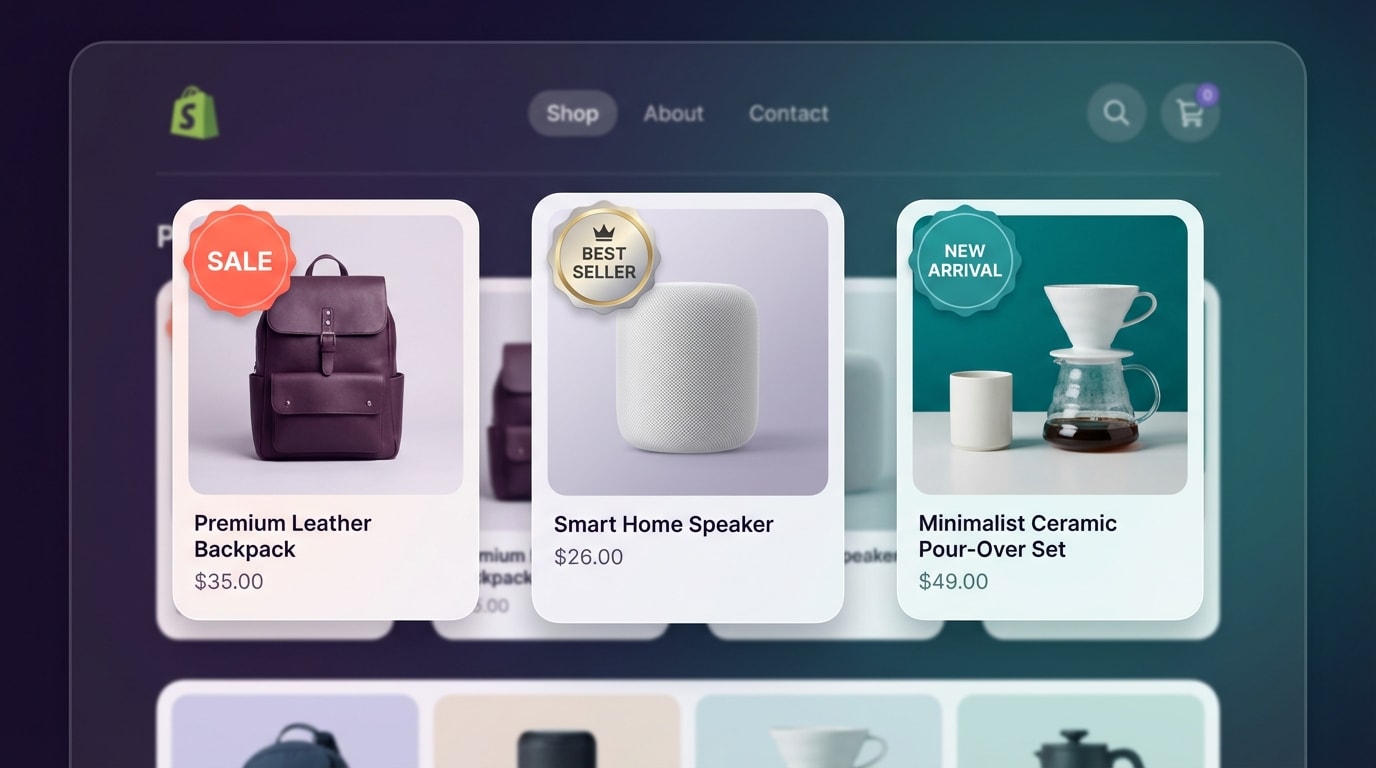
Using badges helps customers identify the best deals and top-selling products quickly.
Before we dive into the tactics, we need to understand exactly what we are working with. Product badges, also known as product labels or stickers, are visual overlays placed on top of product images. They appear on collection pages, search results, and individual product pages to provide instant information to the shopper.
1. What are Product Labels?
Think of product labels as digital "flags." In a physical store, a clerk might put a bright red "Clearance" sticker on a box or a "Staff Pick" sign next to a book. On Shopify, product badges do the same thing. They highlight specific attributes of a product that might not be immediately obvious just by looking at the photo.
These labels serve three primary purposes:
- Information: Letting the customer know if an item is new, organic, or handmade.
- Urgency: Telling the shopper that stock is low or a sale is ending soon.
- Social Proof: Showing that an item is a "Best Seller" or "Customer Favorite."
2. Why They Matter for Your Business
Your customers are busy. Most shoppers scan a page in seconds rather than reading every detail. According to various eCommerce studies, humans process visuals 60,000 times faster than text. If a customer has to search for the price or look for a "sale" tag in the description, you might lose them.
By using shopify product badges, you are making the shopping experience smoother. You are reducing the "cognitive load" on your customers. When they see a "New Arrival" badge, they feel a sense of discovery. When they see a "Save 20%" badge, they feel the thrill of a bargain. This emotional connection is what drives conversions.
3. Key Benefits of Smart Labeling
The results of a good badge strategy are measurable. Merchants who implement these labels correctly often see several key improvements:
- Higher Click-Through Rate (CTR): Badges make images pop in search results and collection pages.
- Reduced Bounce Rate: Clear labeling helps customers find what they want faster, keeping them on your site longer.
- Increased Revenue: By highlighting high-margin items or clearing out old stock with "Sale" badges, you directly impact your bottom line.
II. The Data Behind Visual Cues
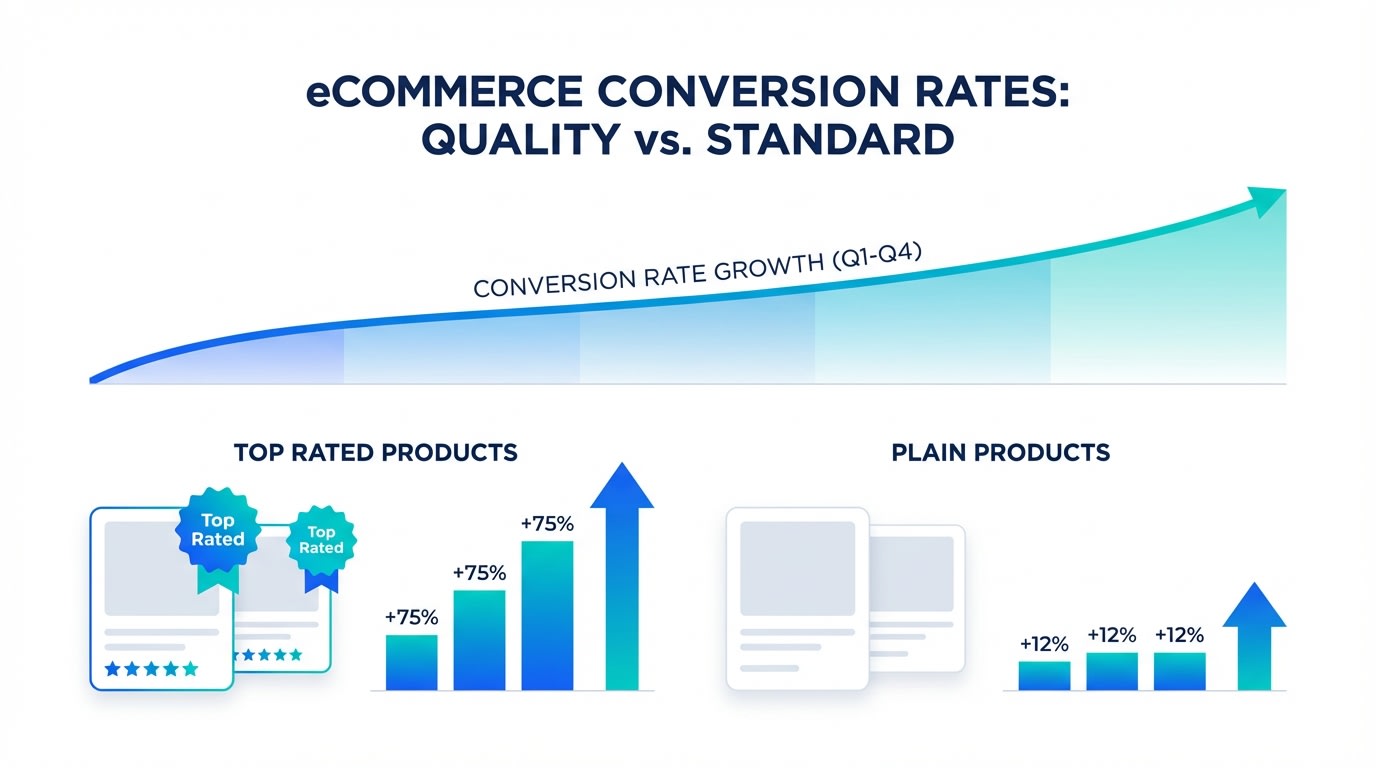
Data shows that strategic badge placement can significantly impact customer decision-making.
You might be wondering if such a small design element can really make a difference. The numbers suggest they do. In the world of eCommerce, small changes often lead to big wins. Let's look at why these visual cues are so powerful for your Shopify store.
1. The Impact on Conversion Rates
A study by various marketing experts suggests that using "social proof" badges, like "Best Seller" or "Top Rated," can increase conversion rates by as much as 15% to 25%. This happens because shoppers look for validation. If they see that other people are buying a product, they feel safer making the same choice.
Using a sale badge shopify can have an even more immediate effect. During peak shopping seasons like BFCM, stores that use clear discount badges see a significant decrease in cart abandonment. When the savings are clearly visible on the product image, the perceived value of the item increases immediately.
2. Psychology of Urgency and Scarcity
The human brain is hardwired to avoid missing out. This is known as Loss Aversion. When you use badges like "Low Stock" or "Limited Edition," you are tapping into this psychological trigger.
Consider these specific data points:
- Urgency: Adding a "Limited Time Offer" badge can increase sales by creating a "now or never" feeling.
- Scarcity: A "Only 3 Left" badge provides concrete evidence that the product is in demand, which speeds up the checkout process.
- Exclusivity: Labels like "Pre-order" or "Exclusive" make the customer feel like they are getting something special that others cannot easily access.
3. Improving Navigation with Visuals
Visual labels also act as a filtering system. Instead of using a sidebar menu to find only new items, a customer can simply scroll through a collection and spot the "New" badges. This ease of use is critical for mobile shoppers. Since nearly half of all online shopping happens on mobile phones, making your site scannable is no longer optional. It is a requirement for growth.
III. 6 Effective Strategies for Shopify Product Badges
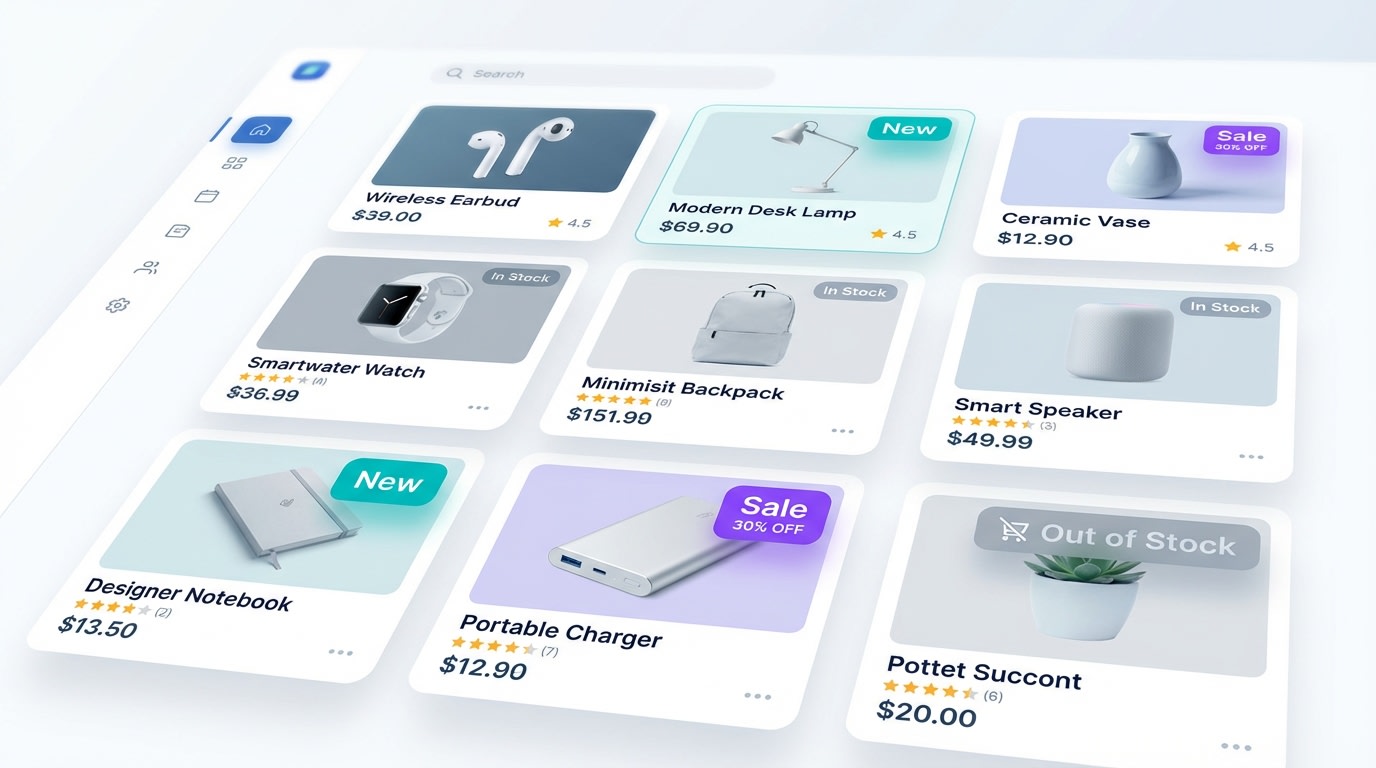
Variety in badge types allows you to communicate different messages for different business goals.
Now that you understand the "why," let's focus on the "how." Not all badges are created equal. To see the best results, you need a strategic approach. You don't want to clutter your store, but you do want to be informative.
Here are six proven strategies to maximize the impact of your labels.
1. Drive Sales with Percentage-Off Badges
A simple "Sale" badge is good, but a specific "30% Off" badge is better. Customers want to know exactly how much they are saving without doing the math.
Why this matters:Specific numbers feel more "real" to customers. It gives them a concrete reason to click. If you are running a clearance event, use bright colors like red or orange to draw the eye.
Here's how:
- Use bold fonts for the percentage.
- Place the badge in the top left or right corner where it is naturally visible.
- Ensure the color of the badge contrasts well with your product photos.
2. Build Trust with Shipping and Return Badges
Trust is the foundation of every sale. If a customer is on the fence, a badge that says "Free Shipping" or "30-Day Returns" can be the final nudge they need.
The benefits:High shipping costs are the number one reason for cart abandonment. By highlighting "Free Shipping" directly on the product thumbnail, you remove that objection before the customer even gets to the checkout page.
Try this format:
- Free Shipping: Use a small truck icon or a simple green badge.
- Easy Returns: Use a circular arrow icon to signify a smooth process.
- Warranty: Highlight "1-Year Warranty" for electronics or high-ticket items to increase confidence.
3. Use Social Proof to Highlight Winners
If you have a product that everyone loves, tell the world! A "Best Seller" badge is one of the most powerful tools in your marketing kit.
Why this works:People follow the crowd. If a shopper is unsure between two similar items, they will almost always choose the one labeled as a best seller. It reduces the risk of making a bad purchase.
Implementation tips:
- Automate this badge based on your sales data.
- Reserve this for your top 5-10% of products to keep it meaningful.
- Consider using "Trending" or "Customer Choice" for a fresh take on social proof.
4. Optimize for Mobile Shopping
What looks good on a desktop might look cluttered on a phone. Since mobile screens are small, your shopify product badges need to be legible without covering up the actual product.
Here's how to do it:
- Test the size: Open your store on your phone. Are the badges too big? Are they covering the product's face or main features?
- Limit the text: Use icons or short words like "New" or "Hot" instead of long phrases.
- Use transparency: Sometimes a slightly transparent background for the badge helps the product photo shine through while still keeping the label readable.
5. Create Seasonal Excitement
Don't use the same badges all year long. Refresh your labels to match the current season or holiday. This keeps your store looking active and updated.
Seasonal ideas:
- Winter: Use snowflake icons or "Winter Essential" badges.
- BFCM: Use high-energy "Flash Sale" or "Door Buster" labels.
- Back to School: Highlight "School Ready" or "Bundle & Save" deals.
To manage these changes efficiently, you can use Fordeer Product Labels & Badges. This tool allows you to schedule badges and apply them to specific collections instantly, saving you hours of manual work.
6. Leverage Automation for Inventory
Manually adding and removing badges is a recipe for mistakes. You don't want a "Low Stock" badge on an item that you just replenished.
Why automation is king:Automated badges update in real-time based on your Shopify backend data. This ensures accuracy and saves you from frustrated customers who find out an item is sold out after they click.
Automation triggers to set up:
- Low Stock: Trigger when inventory falls below 5 units.
- New Arrival: Trigger for products added in the last 14 days.
- Out of Stock: Automatically change to "Coming Soon" or "Back Order" to keep interest alive.
IV. Mistakes to Avoid When Using Badges
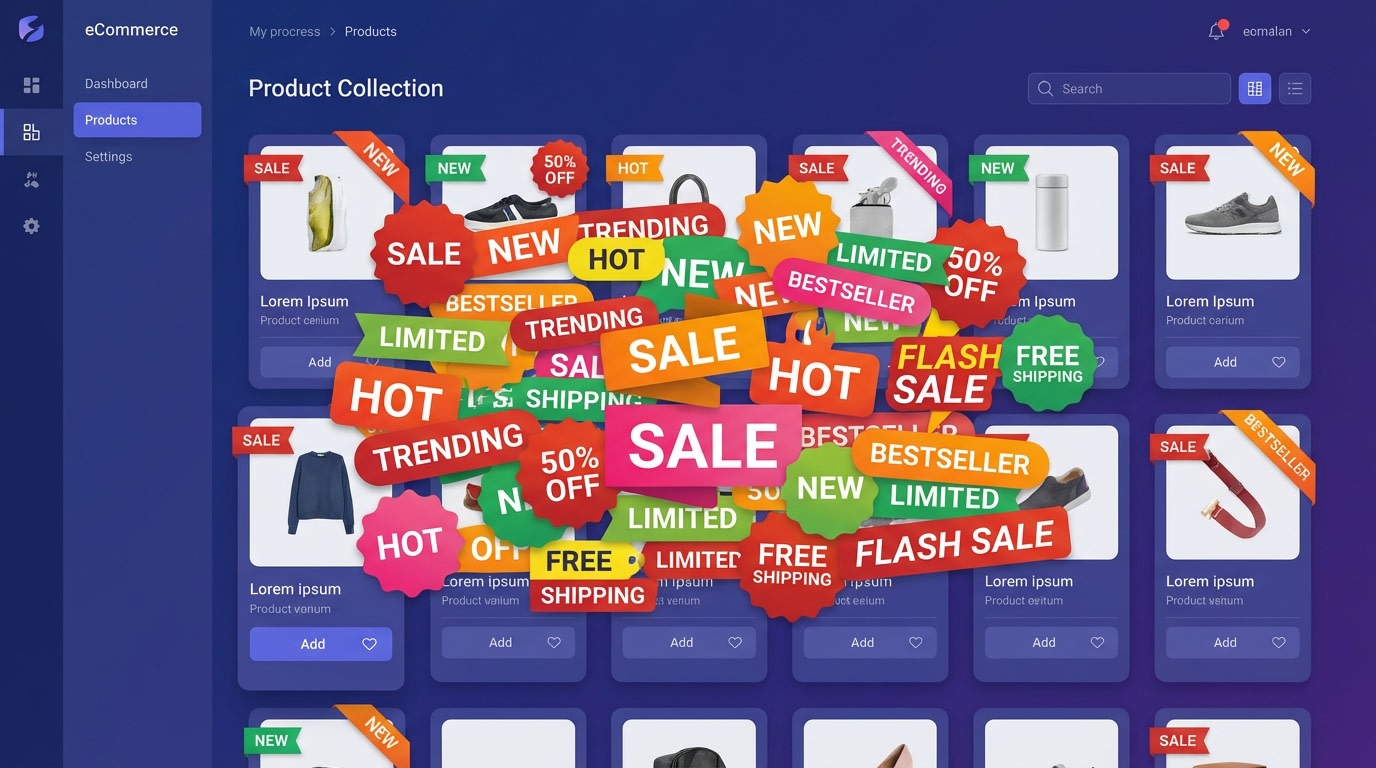
Too many badges can confuse shoppers and make your store look unprofessional.
While shopify product badges are powerful, more is not always better. You need to maintain a balance to keep your store looking professional and trustworthy. Here are the most common pitfalls to avoid.
1. Over-Badging Your Collection
If every single product on your page has a "Sale" or "New" badge, then none of them stand out. This is known as visual noise. When everything is highlighted, nothing is highlighted.
The result?The customer gets overwhelmed and might leave your site. Aim to have badges on no more than 20-30% of the products on a single collection page. This keeps the focus on the special items.
2. Poor Color Choices
Badges should stand out, but they should also fit your brand's aesthetic. If your brand is high-end and minimalist, a bright neon green "SALE" badge might look cheap and out of place.
The fix:
- Choose a color palette that complements your brand.
- Use contrasting colors for the text to ensure readability.
- Stick to 2-3 badge colors across your entire store for consistency.
3. Obstructing the Product View
The most important part of the image is the product itself. If your badge is so large that it covers the main feature of the item, it is doing more harm than good.
Pro Tip: Always place badges in the corners. Avoid the center of the image unless it is a "Sold Out" watermark. This ensures the customer can still see what they are buying while getting the important information from the label.
V. Conclusion
So there you go—your complete guide to mastering Shopify product badges. These small but mighty tools are essential for any merchant looking to improve their conversion rates and provide a better shopping experience.
Using product labels effectively is all about balance. Start by identifying your best sellers and your current sales. Use clear, bold badges to highlight these items, and don't be afraid to experiment with different designs. Remember, you don't have to change everything at once. Start with one or two strategies, like adding "Free Shipping" or "New Arrival" labels, and watch how your customers respond.
With the right approach and a bit of creativity, you can transform your Shopify store into a highly optimized sales machine. You've got this!
Follow the Fordeer Team for more useful updates!
- Install Fordeer Apps for Free
- Get immediate assistance by chatting with us
- Join Fordeer Commerce Community for fresh app updates, expert tips, and private deals.

