

How to Issue a Credit Note on Shopify: Templates and Step-by-Step



Handling bulk returns during peak sales events can quickly become a nightmare. You process refunds left and right, but manual entry errors sneak in, exposing you to severe hidden risks during UK or EU VAT compliance audits.
There is a massive difference between simply granting a customer a loyalty balance and generating a legal financial document. Understanding how to issue credit note shopify workflows correctly is non-negotiable for protecting your hard-earned revenue.
In this guide, you will discover the legal distinction between refunds and credits, the hidden compliance gap in native platform features, and a step-by-step workflow to automate professional PDF documents. Let's get started.
I. Overview of Store Credit vs. Credit Notes
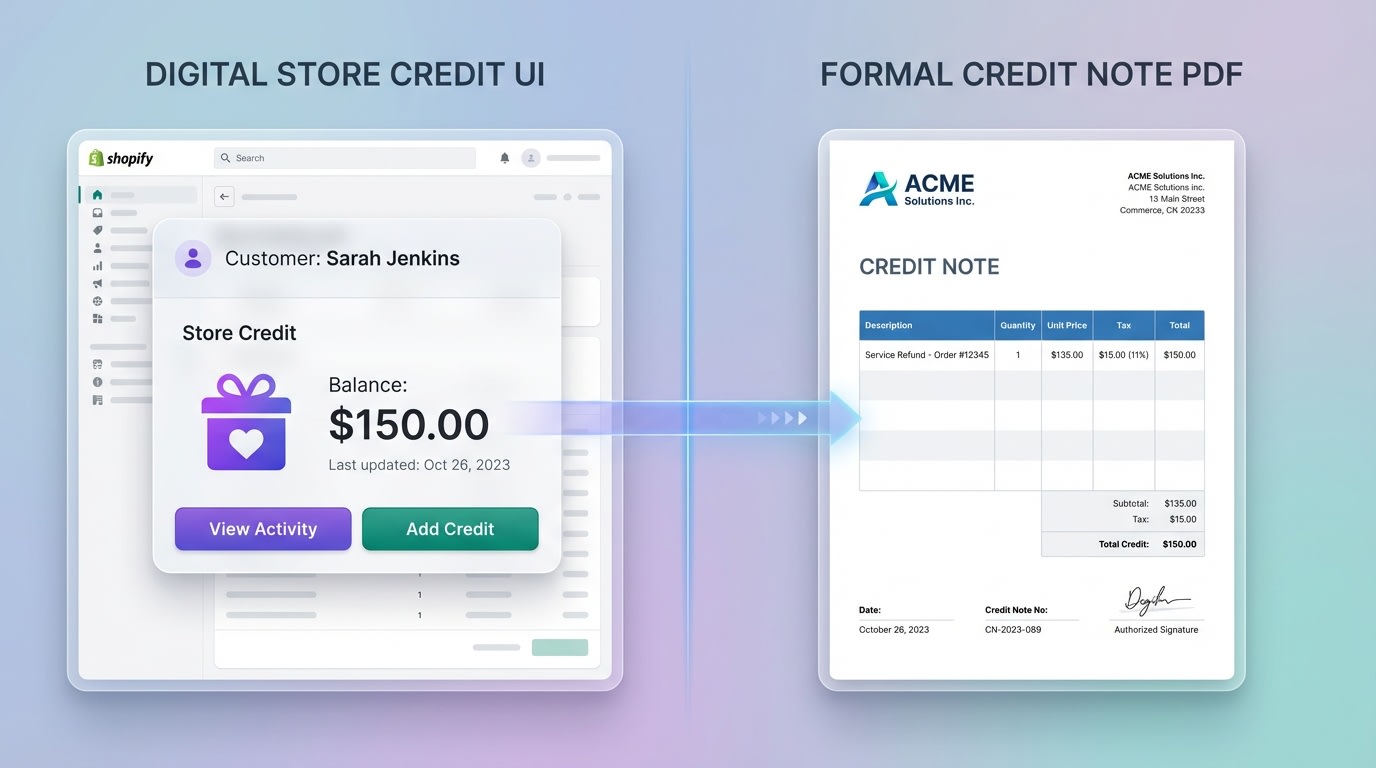
Distinguishing between a balance adjustment and a legal tax document is crucial for your bookkeeping.
1. What is Shopify Store Credit?
Native Shopify store credit functions strictly as a customer loyalty or balance management tool. When you issue it, the balance appears directly on the customer's profile and is accessible via Shopify POS. It is an excellent retention mechanism to encourage future purchases. However, it is not a formal accounting document.
2. What is a Legal Credit Note?
A legal credit note is a formal financial document governed by Accounting Standards (GAAP/IFRS). It serves as a required tax document, which is especially critical for EU and UK VAT compliance. There are two main types:
- Cancellation credit notes: Issued when a full order is refunded and the original invoice must be legally nullified.
- Incremental credit notes: Used for partial refunds or specific line-item adjustments.
3. Why the Distinction Matters
Using the wrong document during a tax audit carries severe financial penalties. Native platform features handle the internal balance perfectly but fail completely at generating the required legal documentation. Establishing a compliant workflow early on protects your business from fines. Understanding The Importance of Invoice Templates for Small Businesses ensures your financial records satisfy tax authorities.
II. The Shopify Compliance Gap

Native platforms often leave a gap between operational execution and accounting compliance.
1. The Shortfall of Native Documentation
The Shopify Help Center is fantastic for basic user interface navigation. It shows you exactly where to click to refund an order. However, it lacks deep accounting workflows. Most standard advice barely scratches the surface of true financial compliance. If you rely solely on manual generation outside the platform, you risk missing the sequential invoice numbers required by major tax jurisdictions.
2. The Cost of Manual Entry Errors
Manually issuing partial credits or dealing with faulty product batches creates operational bottlenecks. Your team jumps between the billing section, external spreadsheets, and customer profiles. This manual data entry leads to calculation mistakes and drastically slows down customer support response times. Implementing an automated PDF workflow eliminates this friction completely.
III. 5 Strategies to Issue Credit Notes on Shopify Efficiently
While native tools allow you to adjust balances, true compliance requires a more robust approach. Here is exactly how to manage your workflow from basic admin navigation to full PDF automation.
1. Master the Native Store Credit UI

Always verify the customer's initial balance before applying manual adjustments.
Navigating the native interface is your first step for basic balance adjustments.
Why this matters: For non-taxable loyalty rewards, native tools work perfectly and keep your customers happy.
Here is how to do it:
- Locate the Customer: Go to your Shopify Admin, then click Customers.
- Edit Store Credit: Find the specific store credit section within the customer's profile.
- Adjust Balance: Add or remove the required balance and leave a clear internal note explaining the adjustment.
2. Manage Partial vs. Full Credit Workflows
Handling partial returns is where manual entry often falls apart.
Why this matters: Issuing a credit for a single line-item requires precise calculation of adjusted VAT or GST to remain compliant.
Follow these steps:
- From the Order Refund page, input the exact quantity of returned merchandise.
- Deduct any shipping or restocking fees before finalizing the total credit amount.
- Ensure the reason for a partial credit is explicitly stated on the final document to avoid future disputes.
3. Automate VAT-Compliant PDF Generation
This is where you bridge the massive compliance gap.
Why this matters: Tax jurisdictions require strict sequential numbering and specific merchant details on every cancellation document. You can solve this by Maximizing Your eCommerce Sales with Personalized Invoice Templates that double as compliant credit notes.
How to implement:
- Install a Dedicated App: Use an app like Fordeer: PDF Invoice Generator to handle the heavy lifting securely.
- Set Up Webhooks: Configure the system to trigger document creation automatically whenever a refund action occurs.
- Customize Templates: Ensure your template clearly states "Credit Note" and references the original order invoice number.
Pro Tip: Never delete a finalized credit note. Standard accounting practice dictates you must issue a new corrective document to maintain a compliant sequential trail.
4. Handle Multi-Currency Adjustments
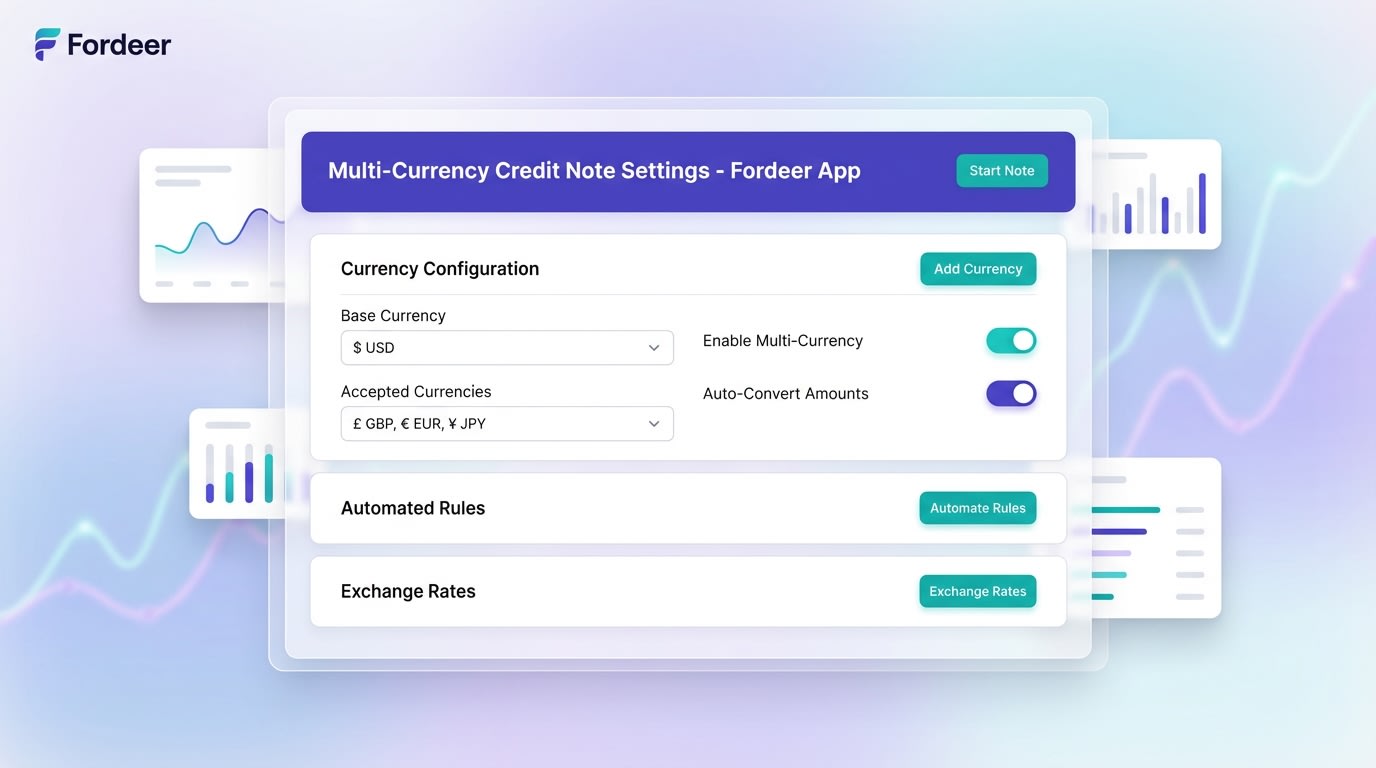
Automated currency conversion ensures your tax documents match the customer's exact payment reality.
Global selling introduces complex exchange rate variables.
Why this matters: If a customer bought in EUR but your store operates in USD, your document must accurately reflect the exact EUR amount refunded.
Here is the solution:Lock the Exchange Rate:
Ensure your automated system captures the rate from the original transaction time, not the refund time.
Display Dual Currencies:
Show both your store base currency and the customer's local currency on the generated PDF. Verify that the VAT deducted matches the local rate originally charged.
5. Automate Email Delivery for Better Retention
Do not make your buyers hunt for their credit updates.
Why this matters: Proactive communication turns a negative return experience into a powerful retention opportunity.
Action steps:
- Create Custom Templates: Draft specific email templates for communicating resolutions directly.
- Attach the PDF: Automatically include the formal credit note as an attachment for their personal records.
- Include Next Steps: Add clear instructions on how they can apply their newly issued balance to their next purchase.
IV. Using Credit Notes to Reduce Customer Churn
A return does not have to mean a lost customer. When handled correctly, these workflows actually boost long-term loyalty.
1. Frame Credits as Upgrades
Offering store credit instead of a cash refund keeps revenue firmly within your ecosystem. You can incentivize this choice by offering slightly more value. For example, give customers 110% of their return value in store credit. This psychological benefit makes shoppers feel like they are getting an upgrade rather than just getting their money back. Train your customer service team to pitch this option first during return inquiries.
2. Streamline the Support Interaction
Having instant, automated PDF generation drastically reduces support ticket resolution times. When customers receive their formal documentation immediately, it builds immense brand trust. They feel secure accepting a credit balance over initiating a costly bank chargeback. Fast, professional documentation proves that your business operates at a highly credible level.
V. Conclusion
So there you go—you now know exactly how to manage refunds and issue proper tax documentation. While native tools are great for simple balance adjustments, relying on them exclusively leaves a massive compliance gap for growing businesses. Implementing automated workflows eliminates manual entry errors, protects your revenue, and ensures your store stays completely audit-ready.
You do not have to tackle the technical side of accounting alone. Automating your tax documents is entirely achievable with the right tools in place.
Follow the Fordeer Team for more useful updates!
- Install Fordeer Apps for Free
- Get immediate assistance by chatting with us
- Join Fordeer Commerce Community for fresh app updates, expert tips, and private deals.

