

Product Launch Popups on Shopify: Turn Your Homepage Into a Hype Machine


You've spent weeks building hype on social media. Launch day arrives, traffic spikes, but your conversion rate barely moves. Why? Because you are treating your highly anticipated product drop like just another Tuesday. Using a generic 10% off exit popup during a massive traffic surge is one of the fastest ways to lose high-intent buyers and annoy eager customers.
To capture the momentum of a new release, you need a dedicated shopify popup for product launch campaigns. A launch is an event. Your data-capture strategy needs to reflect that urgency. Whether you integrate A/B testing, utilize free tier apps, or sync discount codes directly to Klaviyo, your ecosystem must handle the heat of a drop.
In this guide, we break down the exact 3-phase framework for product launches, the core features you absolutely need, and seven actionable strategies to turn hype into captured revenue without slowing down your store.
Let's get started!
I. Overview: The 3-Phase Launch Popup Framework
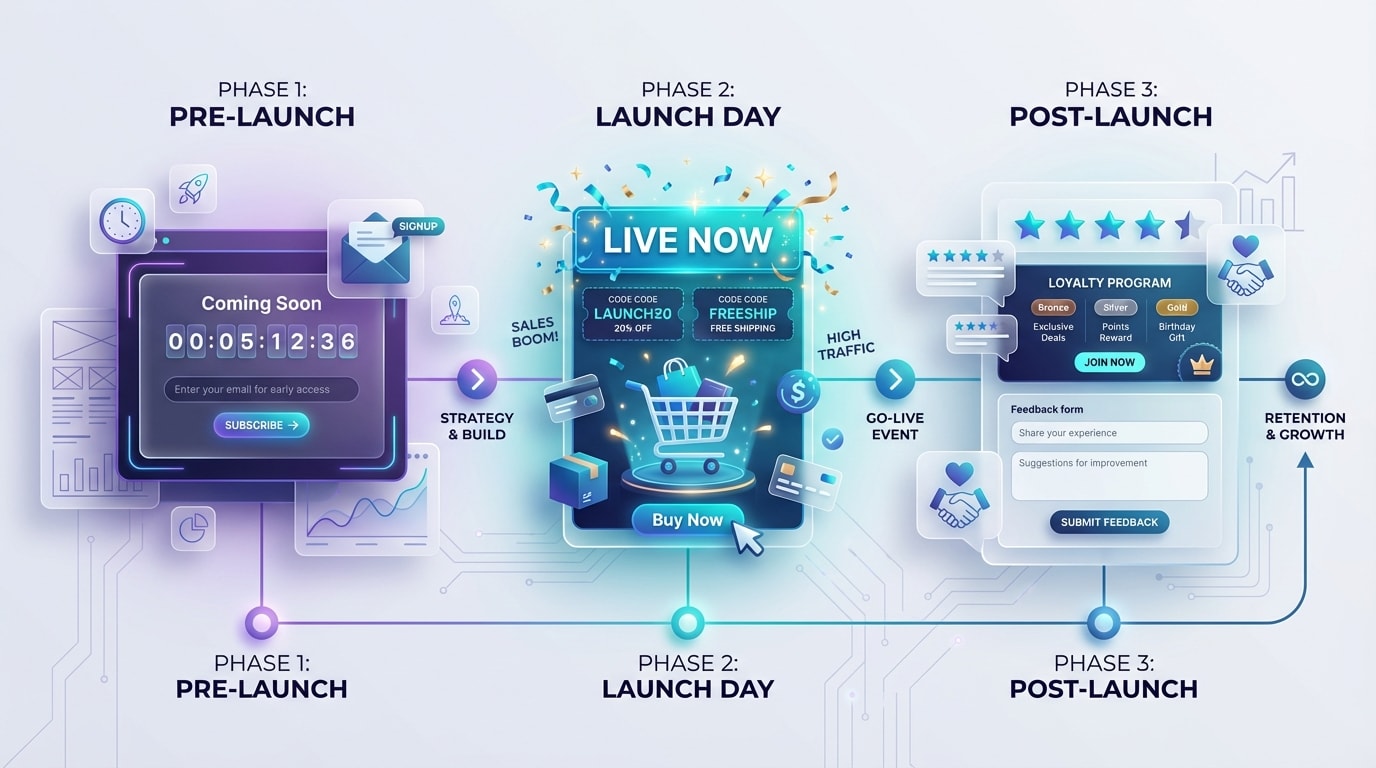
Treat your popup strategy as a multi-day event, not a single static window.
1. Pre-Launch: The "Notify Me" Workflow
The pre-launch phase begins 7 to 14 days before the drop. During this time, you should replace generic discount offers with a targeted email capture campaign.
Your goal is to build a highly segmented, high-intent list using specific tags in Shopify and your email provider. This workflow converts early social media hype directly into owned audience data. Building this early list guarantees a massive initial spike in traffic, ensuring your most eager fans are first in line when inventory goes live.
2. Launch Day: The "Hype & Scarcity" Trigger
Launch day covers the exact 24 to 48 hours of the drop. Now, you transition from collecting emails to driving immediate action.
Focus on urgency features like countdowns and real-time inventory depletion. Mobile traffic often exceeds 70% during drops. Capitalizing on immediate scarcity increases your Average Order Value (AOV) and pushes hesitant shoppers to complete checkout before items sell out. A strong sense of urgency prevents cart abandonment before it even happens.
3. Post-Launch: The "Conversion Recovery" Net
The post-launch phase runs from 48 hours after the drop until you sell out completely. Here, you shift your strategy to standard exit intent popup shopify behaviors to catch abandoning carts.
Focus on offering conditional discounts only to shoppers who hesitate. This preserves your margins on launch day while capturing stragglers without devaluing the product for early adopters.
II. Best Popup Features for High-Traffic Drops
Before you figure out how to add popup on shopify for your next drop, you need to ensure your chosen app has the specific firepower required for high-volume events. Whether you use a sales popup shopify app or a custom theme integration, these elements are non-negotiable.
Key features to evaluate:
- Dynamic Countdown Timers: A vital tool for the hype phase. You need a timer that seamlessly transitions a coming soon message into a live call to action without manual intervention at midnight.
- Mobile-Responsive Design Templates: Mobile drives the vast majority of drop traffic. Your popups must follow strict UX standards with easy-to-click close buttons and no SEO-penalizing full-screen takeovers.
- Advanced Behavioral Triggers: Distinguishing between scroll depth for engaged users and exit-intent for abandoning users allows you to serve different messages based on actual buyer intent. To master this timing, check out Master Your Conversions: The Ultimate Guide to Effective Popup Triggers for Shopify.
- Deep Email Marketing Sync: Native integration with Klaviyo or Omnisend is essential. You need to instantly pass VIP tags to trigger launch-specific email automation sequences.
- Lightweight Codebase: High-traffic spikes demand an app that loads asynchronously. Heavy visual editors slow down site speed and cause bounce rates to skyrocket. A fast-loading store keeps eager customers happy and ready to buy.
III. 7 Strategies to Maximize Your Launch Popup
Setting up a shopify popup for product launch free or paid requires more than just turning an app on. Here are seven tactical ways to engineer your popups for maximum conversion during a highly anticipated drop.
1. Build a Pre-Launch Tagging Logic
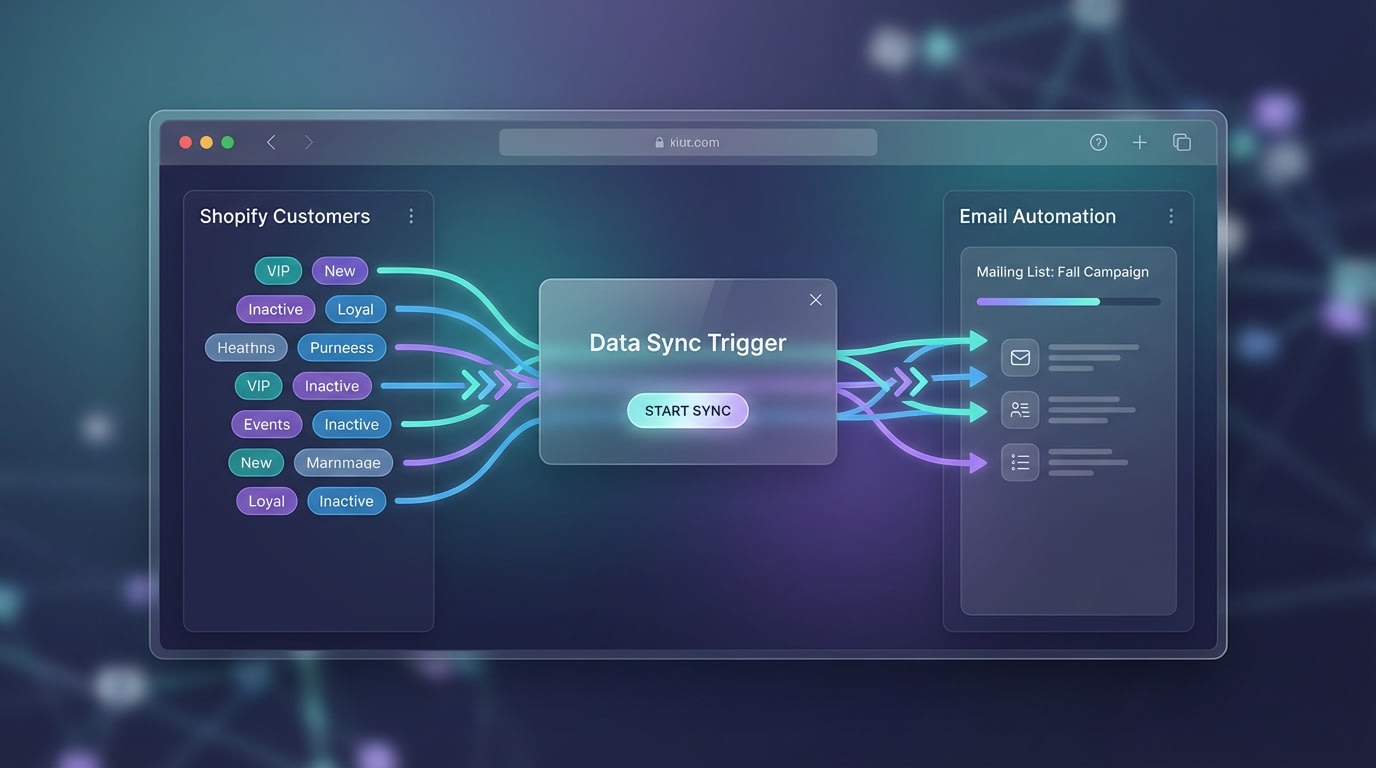
Segmenting your eager buyers early makes launch day emails exponentially more effective.
Instead of a generic newsletter invite, your pre-launch popup should specifically ask if the visitor wants early access to the new product.
Why this matters: It separates casual browsers from high-intent buyers.
How to implement:
- Set up a specific collection page: Direct all pre-launch traffic here.
- Trigger on arrival: Fire the popup immediately or after 3 seconds on this specific URL.
- Apply a hidden tag: Configure your app to automatically tag these subscribers with a launch VIP label in Shopify and your email CRM.
2. Transition Countdowns into Available Now Alerts
Countdown timer strategies are proven to influence a sense of urgency. However, static timers that hit zero and do nothing are conversion killers.
Why this matters: It bridges the gap between pre-launch hype and launch-day purchasing without requiring manual midnight updates.
How to implement:
- Use a smart timer: Select a popup template featuring state changes.
- State 1 (Pre-drop): Show a release timer and an email entry field.
- State 2 (Zero hour): The timer disappears automatically, replaced by a bold shop now button linking directly to the product page.
3. Match Triggers to the Launch Phase
Choosing the right trigger can make or break your user experience. An aggressive popup on launch day frustrates eager buyers trying to checkout.
Why this matters: You must balance conversion optimization with smooth navigation.
How to implement:
- Pre-Launch: Use immediate or 3-second delays to capture attention while people browse for information.
- Launch Day: Disable entry popups. Instead, use a subtle shopify pop up banner sticky bar at the top of the screen to announce the drop is live.
- Post-Launch: Activate strict rules to catch users who get cold feet at the cart.
4. Leverage Free Tier Features for Launch Day
Many merchants search for a free solution but assume free tiers lack the power for a major drop.
Why this matters: You can execute a highly profitable campaign without upfront software costs if you know where to look. To learn more about maximizing your app's potential, explore these Effective Sales Popup Practices to Boost Sales and Conversions.
How to implement:
- Audit traffic limits: Ensure your chosen app can handle your expected launch day traffic spike.
- Focus on the essentials: Stick to a clean email capture and a basic countdown timer.
- Utilize Shopify Liquid: Basic notifications can actually be hardcoded directly into the theme by a developer, saving app bandwidth for complex exit-intent tasks.
5. Utilize Real Scarcity, Avoid Fake Sales
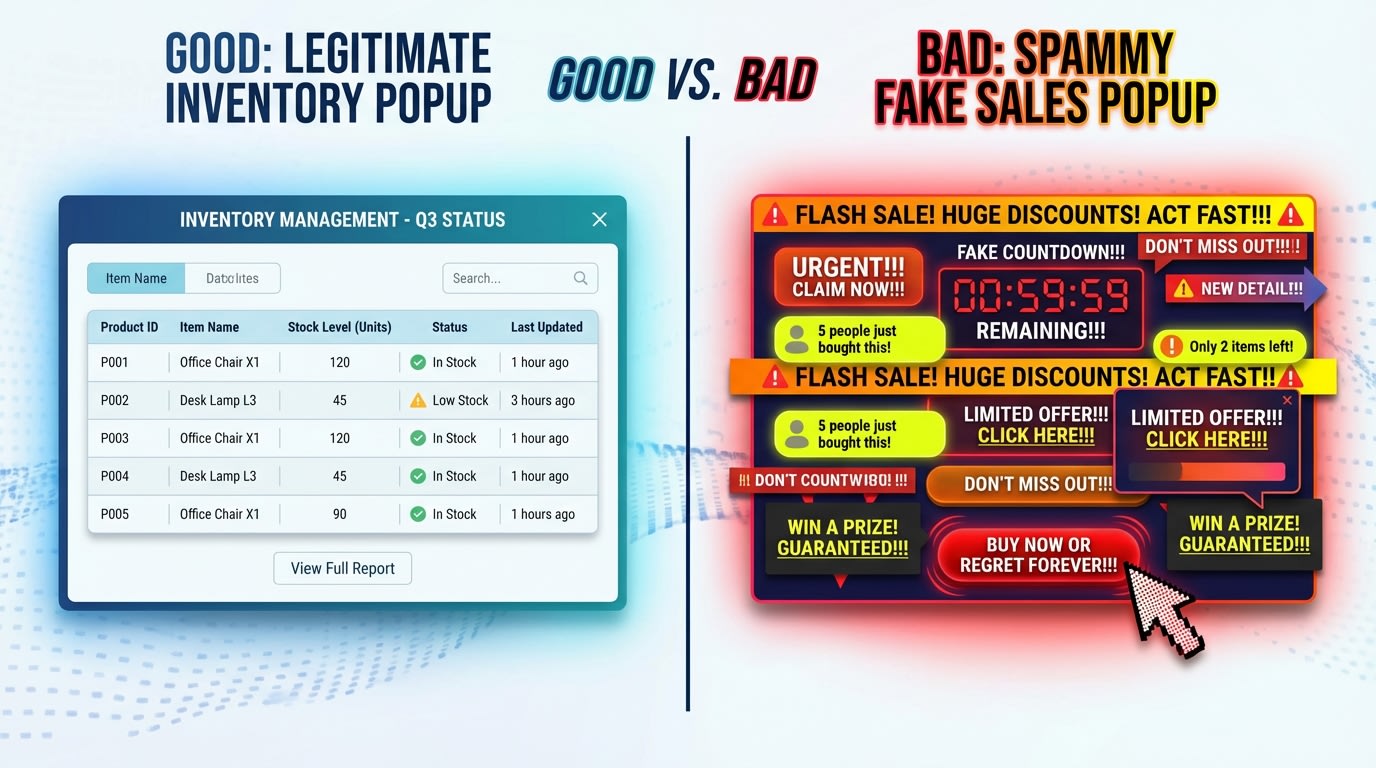
Transparency builds long-term brand equity while deceptive tactics destroy it.
It can be tempting to use a fake sales pop up shopify app that artificially claims 50 people are looking at this item.
Why this matters: Modern consumers are highly attuned to deceptive marketing. Fake scarcity damages long-term brand equity.
How to implement:
- Connect real inventory: Use a popup or notification bar that reads real-time stock levels like "Only 14 units left in Medium".
- Showcase real reviews: Once the launch happens, rotate actual customer reviews into your popups instead of fake recent purchase notifications.
6. A/B Test Your Launch Copy in Advance
You cannot afford to test your messaging on the actual day of the drop. The window is too small.
Why this matters: By the time you realize your first version is underperforming, the peak traffic surge is already over.
How to implement:
- Run tests during Pre-Launch: Set up an A/B test 10 days before the drop on your notify me popup.
- Test the hook: Compare "Be the first to know" against "Get 10% off the new drop".
- Apply the winner: Use the data from this early test to dictate the headline of your actual launch-day sticky bar.
7. Distribute Unique Discount Codes Safely
If you are offering a launch discount, slapping a universal code on a popup invites coupon-scraping sites to leak your margins.
Why this matters: Unique, single-use codes protect your profitability during high-volume events.
How to implement:
- Use dynamic code generation: Ensure your popup app syncs with Shopify to generate a unique string for every email captured.
- Deliver via email: Do not show the code on the popup success screen. Force the user to check their inbox. This trains their email provider that your brand's emails are important, boosting future deliverability.
Pro Tip: Set launch-specific discount codes to expire exactly 48 hours after the drop to enforce true scarcity and finalize lingering sales.
IV. Crucial Technical & Legal Considerations
While marketing strategy is critical, ignoring the technical and legal backend of a launch popup can result in fines or crashed checkout pages.
1. Navigating GDPR and CCPA Compliance
Compliance is heavily scrutinized during massive traffic events. Collecting emails without proper consent puts you at legal risk.
Actionable checklist:
- Unchecked consent boxes: Never pre-check the marketing consent box on your launch popup. Users must actively opt-in.
- Clear language: Clearly state that by subscribing, the user agrees to receive marketing communications directly below the email field.
- Double Opt-In: For European traffic, consider triggering a double opt-in email specifically for the pre-launch list to ensure absolute compliance.
2. Mitigating High-Traffic Speed Issues
One of the biggest pain points for merchants is the fear that a heavy popup app will ruin their store's Core Web Vitals exactly when they need speed the most.
How to protect your store:
- Defer script loading: Ensure your popup app script is deferred. Main product images and add to cart buttons must render before the popup code executes.
- Optimize popup images: If your popup includes a product image, compress it to WebP format. A large background image will bottleneck your entire launch page.
- Limit concurrent apps: Turn off any non-essential Shopify apps like heatmaps or heavy review carousels during the 48-hour launch window. This gives your popup and checkout scripts priority bandwidth.
V. Conclusion
Executing the perfect product launch popup is about treating it as a multi-stage campaign. By strategically transitioning from pre-launch email capture to launch-day scarcity and post-launch exit intent, you capture maximum value at every stage of the hype cycle.
You do not have to tackle everything at once. Start by perfecting your pre-launch notification workflows and ensuring your site speed is fully optimized. From there, your product drops will consistently yield higher conversions and stronger customer retention. Each step you take ensures a smoother, more profitable launch.
Follow the Fordeer Team for more useful updates!
- Install Fordeer Apps for Free
- Get immediate assistance by chatting with us
- Join Fordeer Commerce Community for fresh app updates, expert tips, and private deals.

