

VAT/GST & Tax Compliance Hub for Shopify Invoices



Imagine your Shopify store faces a surprise tax audit. While sales are booming, your invoices are missing mandatory tax identifiers or use incorrect numbering sequences. According to the Association of Certified Fraud Examiners (ACFE), financial statement issues are a top risk for small businesses. Don't let a layout error become a legal liability.
Ensuring shopify invoice compliance is about more than just adding a logo; it is about meeting rigorous global tax standards like VAT, GST, and US Sales Tax Nexus requirements. As you scale internationally, manual invoicing becomes impossible to maintain without risking non-compliance. You need a system that works as hard as you do.
In this guide, we will break down the legal distinction between receipts and invoices, detail specific regional requirements, and provide seven actionable strategies to automate your compliance. You'll also learn about the future of digital archiving and fiscalization. Let's get started!
I. Overview of Invoicing vs. Receipts
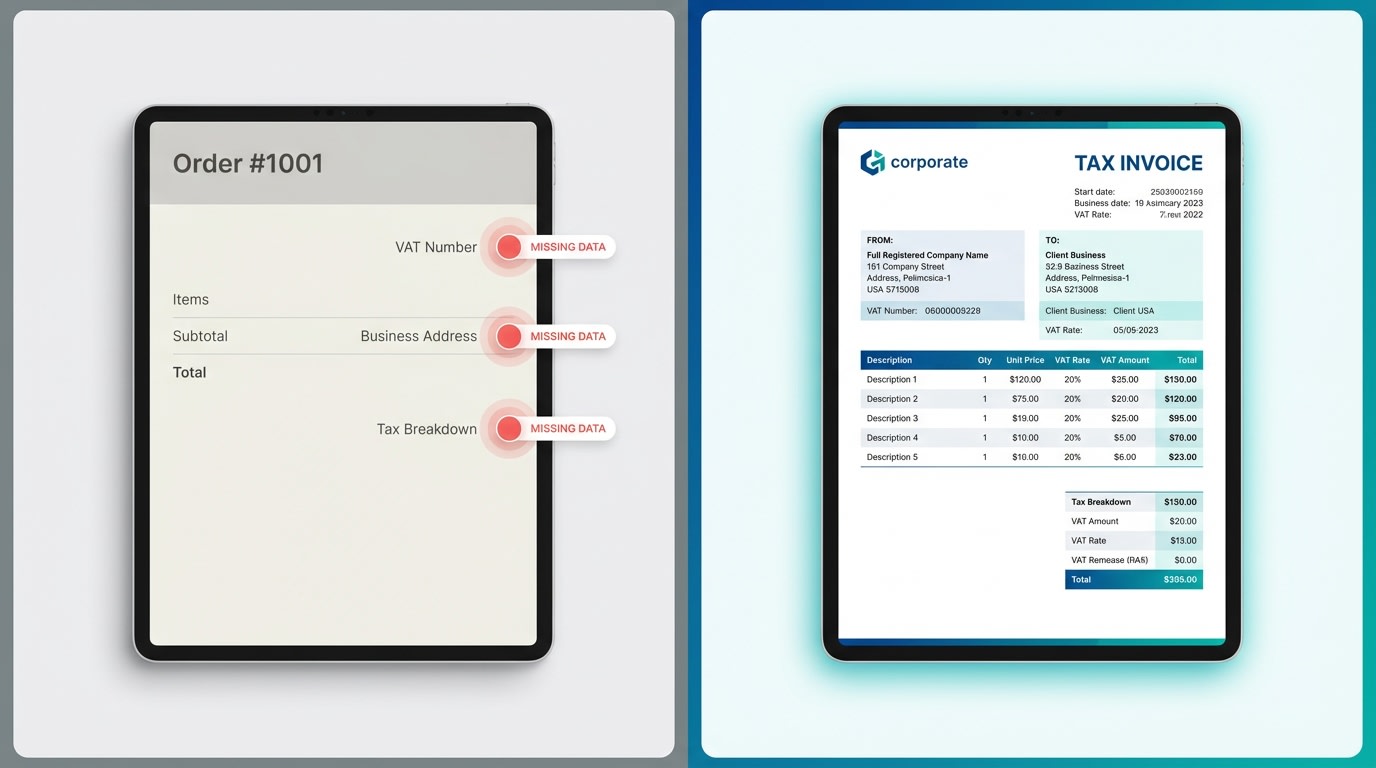
Many merchants mistake Shopify’s default order confirmation for a legal tax invoice.
1. The Legal Distinction: Why Your Default Receipts Aren't Enough
In most jurisdictions, a receipt is merely proof of payment for a consumer (B2C). However, a Tax Invoice is a legal document required for tax reclamation in B2B transactions. Most default Shopify templates lack the technical granularity required by tax authorities during an audit. This includes items like tax breakdown by jurisdiction or the seller's registered business number.
2. The Risks of Non-Compliance
Operating without compliant invoices exposes you to heavy fines, especially in the EU and UK. Beyond legal risks, non-compliant invoices lead to customer friction. Professional B2B buyers will often refuse to finalize purchases if they cannot receive a machine-readable invoice to claim back VAT or GST. This directly impacts your professional reputation and conversion rates.
3. Understanding the 'Audit-Ready' Standard
An audit-ready invoice is one that can be verified years after the transaction. It must be immutable, sequential, and contain all entities required by law. If an auditor asks for a record from three years ago, your system should produce a perfect, unchanged document in seconds.
II. Essential Foundation: Mandatory Data for Global Compliance
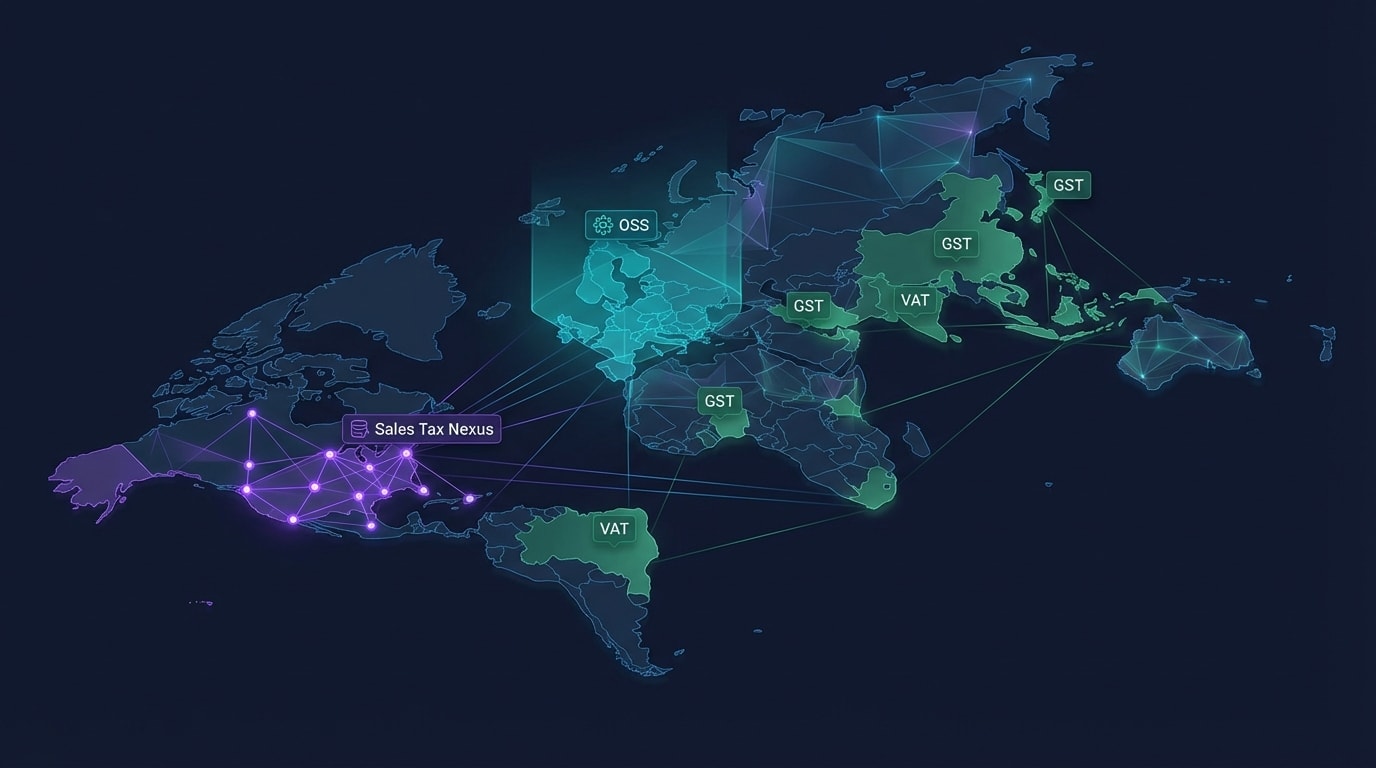
Compliance requirements vary significantly depending on where you and your customers are located.
1. Regional Tax Identifiers (VAT, GST, and Tax ID)
To stay compliant, your invoices must dynamically include specific identifiers based on the customer’s location:
- EU One-Stop Shop (OSS): You must show the seller’s VAT number and the specific VAT rate of the member state where the buyer is located.
- UK HMRC: This requires a clear distinction between the gross price and the 20% VAT (or 5% reduced rate).
- US Sales Tax Nexus: While the US doesn't use VAT, invoices must accurately reflect state-level sales tax if you have "Nexus" in that specific state.
- IOSS (Import One-Stop Shop): This is essential for non-EU sellers shipping goods under €150 into the EU to ensure smooth customs clearance.
2. Core Legal Entities Every Invoice Must Have
Regardless of region, five entities are non-negotiable for audit-readiness:
- Full Legal Names: Use both the seller’s and buyer’s registered business names.
- Registered Addresses: Use the official business domicile, not just a shipping address.
- Unique Invoice Number: A sequential, gapless sequence that cannot be duplicated or skipped.
- Supply Date: The specific date the goods or services were actually delivered.
- Itemized Tax Breakdown: Showing the net price, the tax rate applied, and the total tax amount in the local currency.
III. 7 Strategies to Ensure Shopify Invoice Compliance
Compliance isn't just about design; it’s about workflow. These seven strategies will help you move from manual guesswork to an automated, bulletproof system.
1. Automate Tax ID Collection at Checkout
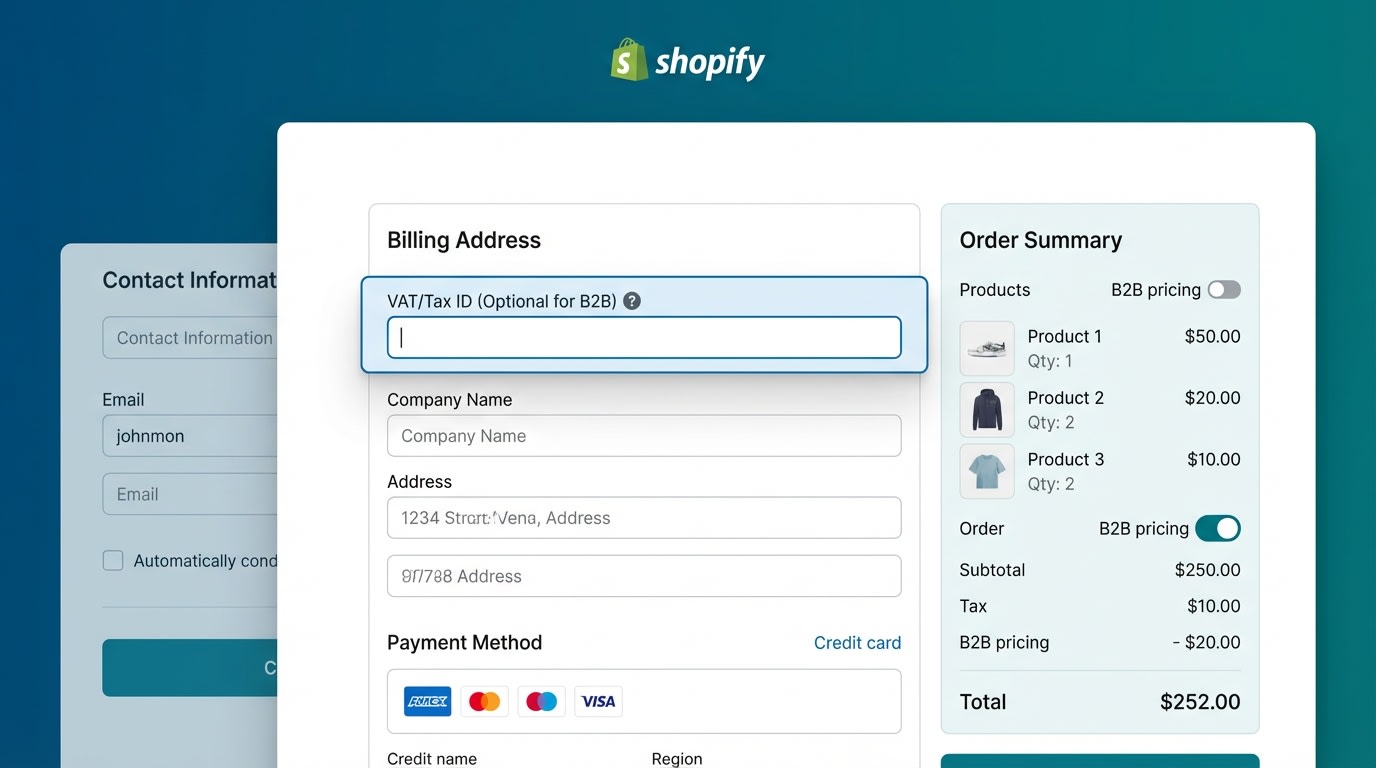
Automating data collection prevents manual entry errors and saves hours of customer service.
Why this matters: Manually asking customers for their VAT or GST numbers after an order is placed is a massive time-sink. It delays shipping and creates unnecessary back-and-forth emails.
How to implement:
- Use a specialized app: Integrate a tool like a Shopify PDF Invoice Generator that adds a VAT field to the cart or checkout page.
- Validate in real-time: Ensure the field checks against databases (like VIES for the EU) to prevent invalid numbers.
- Dynamic display: Set the field to only show for customers in relevant regions to keep the UX clean for domestic buyers.
2. Implement a Gapless Sequential Numbering System
Tax authorities look for missing invoices as a red flag for tax evasion. If your numbers jump from 101 to 105, an auditor will ask what happened to 102, 103, and 104.
How to implement:
- Avoid order numbers: Shopify order numbers can have gaps if an order is deleted or abandoned. Use a dedicated invoice numbering sequence instead.
- Use Prefixes: Create unique prefixes for different years or locations (like 2024-EU-001) to keep records organized.
- Lock the sequence: Ensure your system prevents users from manually changing or deleting numbers once an invoice is issued.
3. Master the 'Golden Rule' of Credit Notes
The Rule: You cannot simply delete or edit a legal invoice. If an order is refunded or changed, you must issue a Credit Note.
How to implement:
- Automatic Generation: Ensure your invoicing tool detects a Shopify refund and automatically generates a matching Credit Note.
- Reference the Original: The credit note must clearly state the original invoice number it is correcting.
- Separate Sequences: Use a distinct numbering sequence for credit notes (e.g., CN-001) to distinguish them from revenue.
4. Optimize for Multi-Currency and Multi-Language Support
If you sell in Germany but your store is only in English, you may be in technical violation of local requirements. Professionalism requires meeting the customer in their language.
How to implement:
- Dual Currency Display: Show the total in both the customer’s currency and your store's functional tax currency for easier bookkeeping.
- Localized Templates: Use templates that automatically translate "Invoice" to "Rechnung" or "Facture" based on the customer's browser locale.
5. Prepare for Global 'Fiscalization' Trends
Pro Tip: In countries like Italy, Poland, and Mexico, fiscalization is mandatory. This means your invoice must be sent to the government in real-time and digitally signed. Even if not required yet in your region, adopting encrypted digital signatures now future-proofs your store.
6. Include Mandatory Shipping and HS Codes for Exports
For international shipping, the invoice acts as a customs document. Without the right data, your packages get stuck in customs, leading to unhappy customers.
How to implement:
- Harmonized System (HS) Codes: Include these for every line item to help customs process the package faster.
- Country of Origin: Clearly state where the goods were manufactured to ensure correct duty application.
7. Adopt Machine-Readable Formats (XML/UBL)

The world is moving away from PDFs toward machine-readable invoicing formats.
Why this matters: Governments and large B2B clients increasingly require invoices in XML or UBL formats for automatic processing. This is common in B2G (Business to Government) transactions.
How to implement:
- Check App Capabilities: Ensure your automatic invoice generation tool can export machine-readable files if you deal with government entities or the Peppol network.
IV. Beyond the Layout: Digital Archiving and Security

1. Mandatory Storage Durations
Compliance doesn't end when the invoice is sent. Most countries require you to store digital records for an audit window:
- United Kingdom: 6 years.
- Germany: 10 years.
- United States: Generally 3–7 years depending on the state.
Ensure your Shopify invoicing app has a "Download All" feature or integrates with cloud storage for permanent off-site archiving.
2. Security and Data Validation
Is emailing a PDF enough? In some jurisdictions, you must prove the invoice wasn't tampered with. Use tools that provide a secure download link rather than just a flat attachment. Ensure your system performs three-way matching (Order vs. Invoice vs. Payment) to validate data integrity before an auditor asks for it.
V. Conclusion
Staying compliant with Shopify invoice requirements might seem daunting, but it is a foundational step for any growing eCommerce brand. By automating your tax ID collection, strictly following numbering sequences, and preparing for global trends like fiscalization, you transform a legal burden into a professional advantage.
The result? Smoother operations, happier B2B customers, and total peace of mind during tax season. Don't wait for an audit to find the gaps in your system—start your compliance journey today. You've got this!
Follow the Fordeer Team for more useful updates!
- Install Fordeer Apps for Free
- Get immediate assistance by chatting with us
- Join Fordeer Commerce Community for fresh app updates, expert tips, and private deals.

