

Low Stock Labels on Shopify: The Scarcity Tactic That Actually Works


Are you losing sales despite driving high-quality traffic to your Shopify store? The missing element might be a lack of immediate action. Consumer behavior reports show that 67% of shoppers are more likely to complete a purchase when they see limited availability.
However, simply slapping a generic hurry badge on every product is a guaranteed way to cause scarcity fatigue. Modern buyers are smart. To effectively use a shopify low stock label urgency strategy, you need real-time data, strategic thresholds, and a lightweight implementation that will not ruin your website loading speed.
In this guide, we break down the Threshold Paradox of inventory marketing. You will learn the exact mathematical formula for triggering alerts, five actionable strategies to optimize your stock labels, and how to implement them cleanly using custom Liquid code or optimized apps.
Let's get started!
I. The Threshold Paradox and Scarcity Math
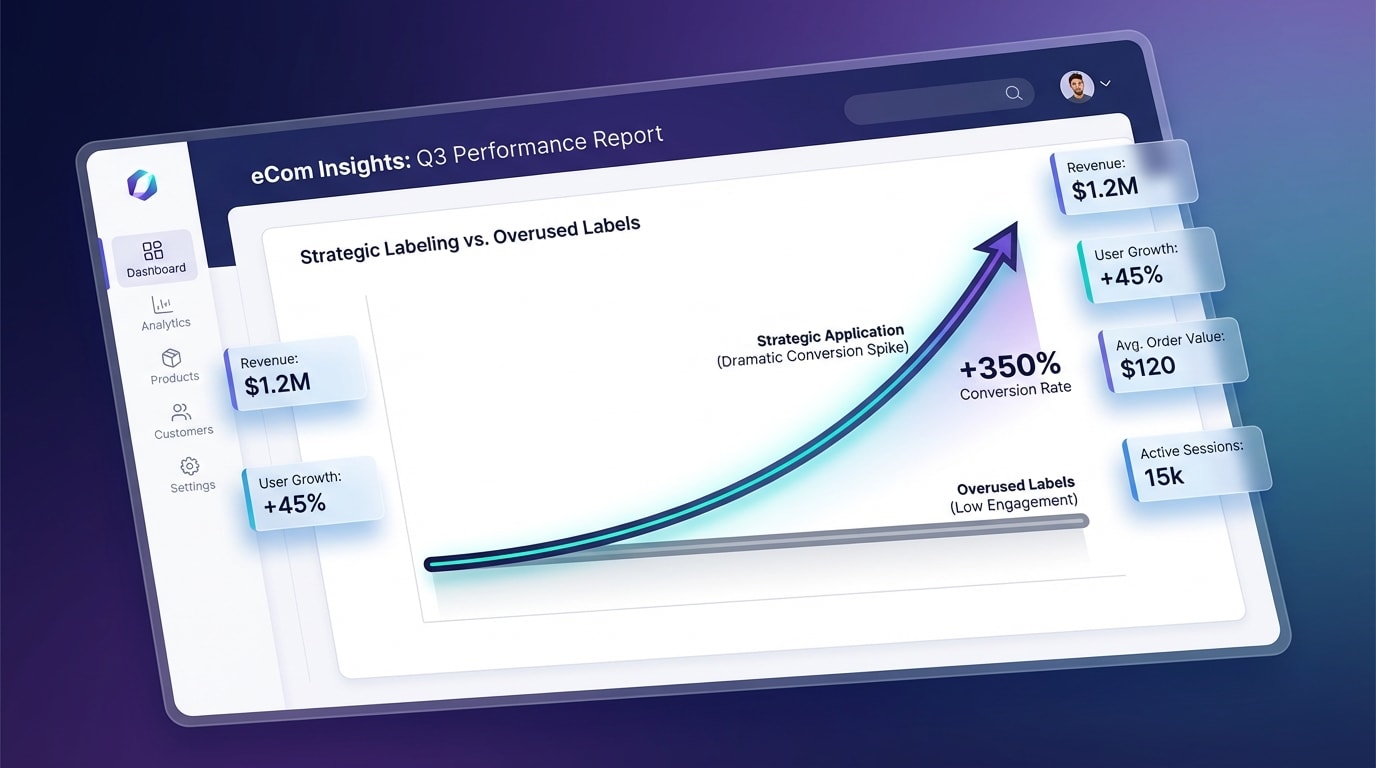
Strategic scarcity increases conversions, but overusing it destroys brand trust.
1. The Danger of Fake Scarcity
The Threshold Paradox is a simple concept in eCommerce psychology. Showing a low stock warning on every single item reduces the urgency of that warning to zero. When everything is scarce, nothing is scarce.
Shoppers quickly recognize fake urgency. If a customer visits your store on Monday, sees a warning for two items left, and returns on Friday to see the exact same warning, you lose their trust completely. Ethical scarcity relies entirely on honest inventory levels. Honesty creates a better buying experience and dramatically increases long-term customer lifetime value.
2. The Conversion Impact of Real Urgency
Real urgency works incredibly well. According to the Baymard Institute, genuine scarcity can increase conversion rates by up to 226%.
This massive jump happens due to the fear of missing out. When a user sees a specific number of remaining units, their brain shifts from a passive browsing state to an active buying state. This psychological trigger is highly effective at the middle of the funnel. It pushes shoppers who are simply considering a product into making an immediate purchasing decision.
3. The Safety Stock Formula
Blanket rules fail in inventory marketing. Setting a store-wide rule that triggers a label when inventory drops under ten units does not work for diverse catalogs.
You need a mathematical approach based on the Reorder Point. The Reorder Point dictates exactly when a label should appear based on average daily sales. If you sell five units of a specific t-shirt every day, triggering an alert at fifteen units gives you a perfect three-day hype window. Base your triggers on sales velocity rather than arbitrary numbers.
II. 5 Strategies to Optimize Low Stock Alerts
Implementing effective labels requires more than just turning on a toggle in your theme settings. Here is how top-performing Shopify merchants configure their urgency settings for maximum revenue.
1. Set Dynamic Thresholds Based on Sales Velocity
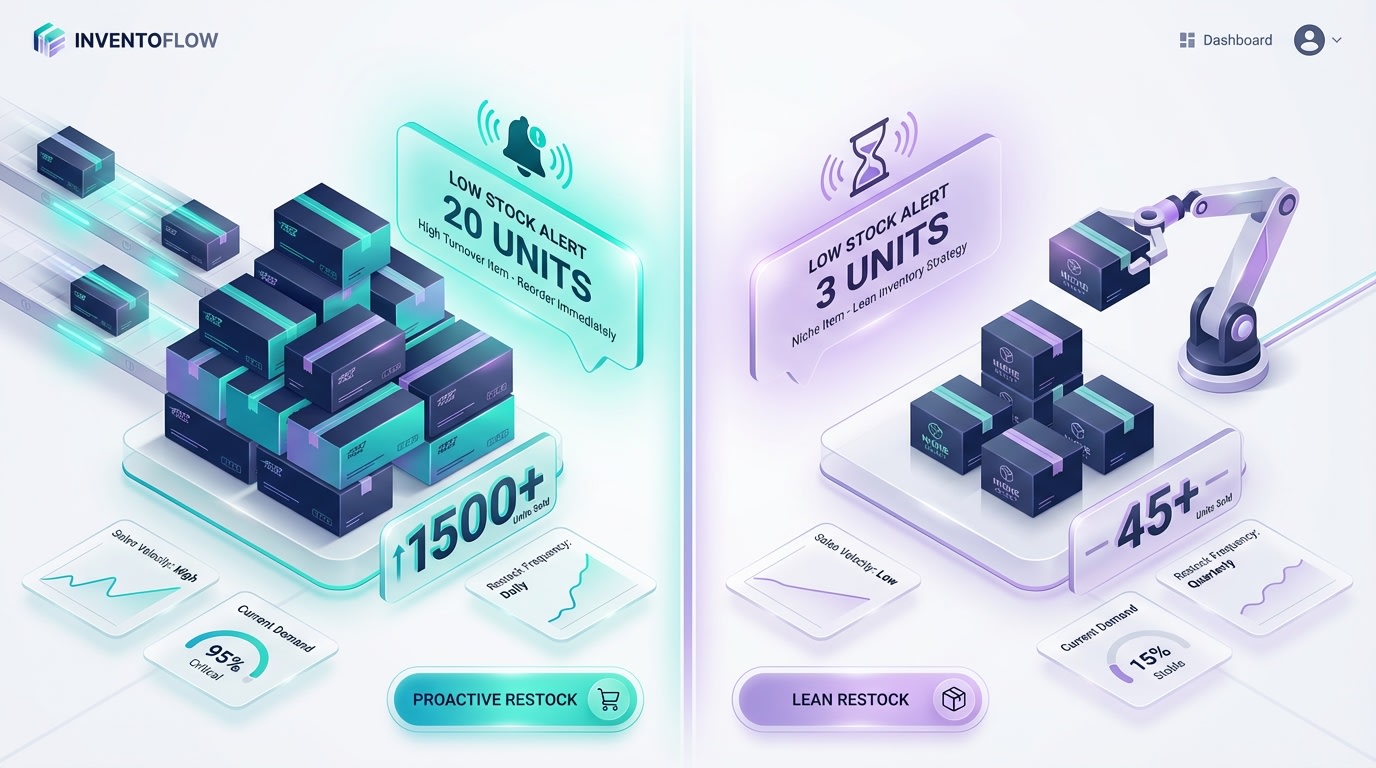
Match your inventory alerts to how fast an item actually sells.
Static numbers hurt your sales strategy. A product that sells 50 units a day is running out when inventory hits 20. A niche product that sells one unit a day is completely fine at 20 units. If you want to Master FOMO - The Art of Limited-Time Offers and Exclusivity in Online Business, you need to match your inventory alerts to how fast an item actually sells.
Here is how to set this up effectively:
- Analyze daily velocity: Calculate the average daily sales for your flagship products over the last 30 days.
- Set custom rules: Use your inventory tracking system to trigger labels dynamically based on a specific three-day supply window.
- Segment by collection: Apply different threshold logic to your fast-moving consumer goods compared to your high-ticket items.
Dynamic rules prevent unexpected stockouts while maintaining the perfect level of hype during the final days of availability.
2. Master Anti-Scarcity to Build Brand Trust
Customers only believe your warnings if they regularly see products without them. Contrast is the secret ingredient that makes urgency work.
Follow these specific steps to create contrast:
- Set a hard ceiling: Ensure your code completely hides the stock counter if inventory is above your calculated Reorder Point.
- Use positive reinforcement: Instead of showing large available quantities, use a green In Stock & Ready to Ship badge to build confidence.
- Audit your catalog: Browse your own store regularly to ensure no more than 15% of your products display urgency messaging at any given time.
3. Implement Ghost Stock for Incoming Shipments
Showing a Sold Out button prematurely kills your sales momentum. Ghost Stock allows you to capture the sale while remaining completely transparent about shipping delays for incoming inventory.
Enable overselling strategically:Check the box to continue selling when out of stock within your Shopify Admin settings. This keeps the checkout active.
Change the label text:Swap your standard warning for a Pre-Order: Securing Incoming Shipment badge. Include the exact number of allocations remaining.
Update shipping policies:Clearly communicate the fulfillment timeline directly on the product page. Customers will gladly wait if they feel they are securing exclusive access to a high-demand restock.
4. A/B Test Your Urgency Copy
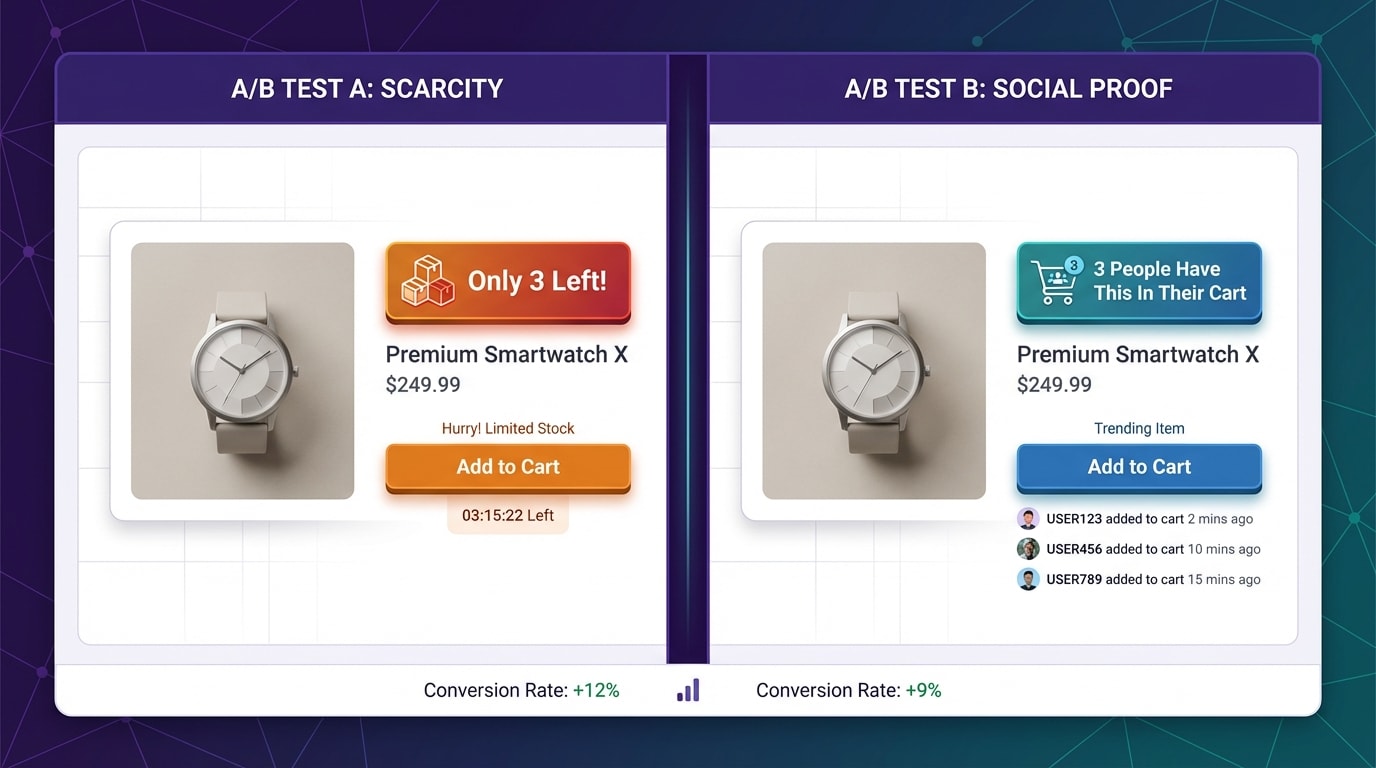
Different audiences react to different types of psychological triggers.
Language heavily influences buying behavior. Direct scarcity works perfectly for impulse buys, but social proof often converts better for expensive items.
Test these specific variations on your store:
- Direct scarcity: Use exact numbers like Hurry, Only 3 units remaining to drive immediate action.
- Social proof: Highlight buyer behavior with High demand: 12 sold in the last 24 hours to build trust.
- Subtle urgency: Use softer language like Limited availability for premium luxury goods.
Track your Add-to-Cart rates closely over a two-week period to determine the winning variation for your specific audience.
5. Sync Alerts with Back-in-Stock Flows
When an item finally hits zero, the urgency should not die. It should immediately transition into a powerful lead generation tool.
Pro Tip: Never leave a dead product page active without a way to capture the visitor's email address.
Automate the switch: Ensure your theme automatically replaces the Buy Now button with a Notify Me form the second inventory depletes.
Maintain the hype: Use clever copy like You missed it, join the waitlist to get early access next time to build desire.
Connect your ESP: Route these captured emails directly into a dedicated segment in Klaviyo or Mailchimp to guarantee a massive spike in sales when you finally restock.
III. Implementation: App Bloat vs. Custom Liquid Code
How you add these labels matters just as much as the overall strategy. Heavy scripts will ruin your Core Web Vitals and cost you sales.
1. The Hidden Cost of App Bloat
Third-party apps often slow down Shopify theme loading speeds significantly. Many apps use client-side JavaScript rendering to display badges. This method causes layout shifts and visually delays the Add to Cart button from appearing on the screen.
When your primary call to action jumps around the page, frustrated mobile shoppers simply leave. Server-side rendering is absolutely mandatory for critical conversion elements.
2. How to Build a Custom Liquid Snippet
Building a lightweight Liquid solution without an app is the best path for DIY developers wanting maximum speed.
You can accomplish this within your product-template file or JSON sections in Online Store 2.0. The basic code structure involves a simple conditional statement checking your variant inventory quantity. If the quantity drops below your target threshold, the code instantly renders a raw HTML badge. This method guarantees zero delay and perfect performance scores.
3. When to Use a Dedicated App
Custom code is not always enough. If you need to sync multi-location inventory, test visual styles without hiring a developer, or add complex animations, an app becomes necessary.
You can easily Boost Your Conversions with 7 Examples of Limited-Time Offers using an optimized app without sacrificing site speed. Look for Online Store 2.0 native apps that strictly use App Blocks. Fordeer Product Labels provides this exact performance-friendly middle ground, giving you advanced targeting rules while keeping your store blazing fast.
IV. Conclusion
Creating genuine urgency on your Shopify store requires more than just a countdown timer. By understanding the Threshold Paradox, utilizing the safety stock formula, and carefully choosing between custom Liquid code and lightweight apps, you can leverage scarcity without sacrificing your brand integrity or website loading speed.
Do not let high-intent shoppers bounce. Take a few minutes today to audit your top-selling products, calculate your Reorder Points, and implement a stock label strategy that drives immediate action. You've got this!
Follow the Fordeer Team for more useful updates!
- Install Fordeer Apps for Free
- Get immediate assistance by chatting with us
- Join Fordeer Commerce Community for fresh app updates, expert tips, and private deals.

