

Scarcity Badges on Shopify: Do They Actually Improve Conversion? (Data Inside)


Take a quick scroll through the r/shopify subreddit, and you will quickly spot a common complaint: Fake scarcity scares off customers instead of converting them! Today's buyers are incredibly savvy. They immediately recognize the red flags of a generic dropshipping store, and a fake 15-minute countdown timer resetting on every page refresh is at the top of their list.
But urgency still works when done right. The key to successful Shopify scarcity badge conversion lies in balancing short-term sales boosts with long-term brand equity. Whether you code manually via liquid or choose a lightweight app, optimization is critical.
In this guide, we break down why ethical scarcity outperforms aggressive tactics. We will explore seven practical strategies to implement high-converting product badges and show you how to protect your Core Web Vitals while doing it.
Let's get started.
I. Overview of the Trust-Urgency Paradox

Authentic scarcity builds trust, while fake urgency destroys it.
1. Why Fake Scarcity Kills Lifetime Value (LTV)
Loss aversion is a powerful psychological trigger. However, when customers realize they are being manipulated by a fake Shopify scarcity badge reddit users often complain about, they abandon their carts.
Short-term conversion rate optimization spikes are not worth long-term buyer remorse. You want buyers to feel lucky they secured an item, not tricked into a rushed decision. Authentic badges assist the buyer journey. Deceptive timers destroy lifetime value and prevent repeat purchases.
2. Legal Realities: FTC Compliance
The FTC actively monitors deceptive marketing practices. Running an evergreen countdown timer that never actually expires violates these guidelines.
Conversely, displaying real-time inventory countdowns builds credibility. Remaining compliant acts as a powerful trust signal to modern shoppers. When your site says a deal ends at midnight, it actually needs to end at midnight. Honest marketing prevents legal headaches and establishes your store as a legitimate retailer.
3. Clean vs. Aggressive Badge Design
There is a clear tension between brand trust and scarcity. Aggressive designs use flashing neon colors and massive timers. Clean designs rely on subtle text and matching brand hex codes.
Luxury and high-ticket Shopify stores use the minimalist approach to maintain prestige. To see this in action, check out how to Boost Your Conversions with 7 Examples of Limited-Time Offers. Subtle badges convert without cheapening your overall aesthetic. Modern consumers appreciate brands that respect their intelligence.
II. 7 Tips to Maximize Shopify Scarcity Badge Conversion
While knowing the psychology is a great start, execution is where you actually secure the sale. Here are seven strategies to optimize your FOMO elements without looking like a scammy storefront.
1. Use Low Stock Badges Over Countdown Timers
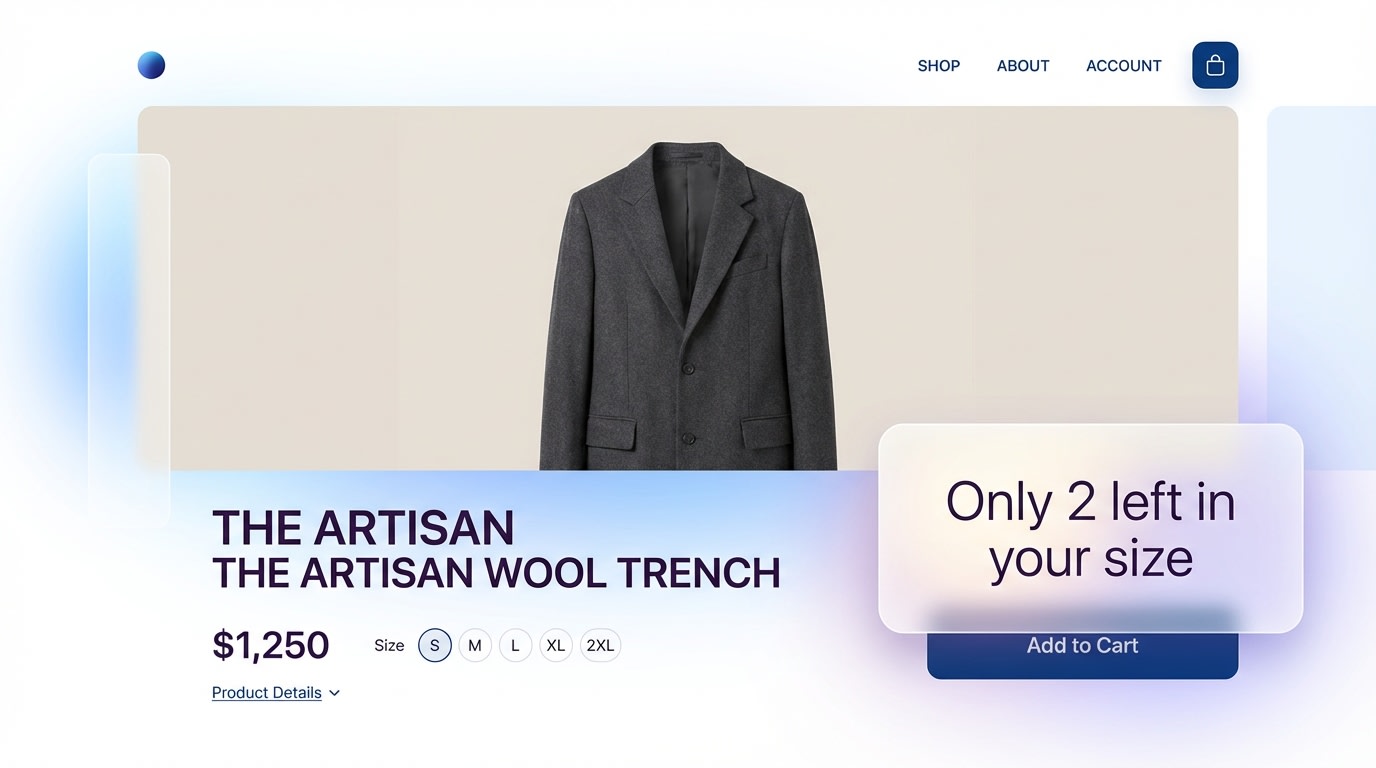
Low-stock alerts provide helpful context rather than artificial pressure.
For high-ticket Shopify items, countdown timers severely cheapen the brand experience.
Why this matters: Inventory countdowns provide tangible social proof. A timer feels arbitrary, but physical inventory limits represent real-world demand.
Here is how to implement this:
- Trigger thresholds: Only display the low stock alert shopify badge when inventory drops below 5 units.
- Be specific: Use "Only 3 left in size M" instead of a generic "Almost Sold Out" label.
- Auto-hide: Ensure your app removes the badge automatically once the item is restocked.
Using real numbers validates your store's credibility.
2. Match Badge Color Psychology to Your Ticket Price
Not every urgency pack ultimate feature needs to be bright red.
Why this matters: Red creates panic. This works for flash sales on low-ticket impulse buys, but panic causes cart abandonment for expensive, highly considered purchases.
Choose your colors strategically:
- High-ticket items: Use muted tones like grays, navy blues, or your primary brand color.
- Clearance items: Utilize warmer colors like orange for immediate action.
- Trust signals: Stick to green to signal verified checkout alongside your scarcity element.
Match the color to the emotional state you want to trigger.
3. Optimize Mobile Viewport Height for Scarcity Elements
If your scarcity badge pushes the add to cart button below the fold on mobile, it kills your conversion rate. Over 70% of Shopify traffic is mobile. Bloated product labels consume too much vertical space.
Here is how to fix it:
- Audit on real devices: Do not just rely on the Shopify theme editor's mobile view.
- Inline placement: Place text-based scarcity badges inline with the product price rather than stacking them in separate rows.
- Sticky buttons: Ensure your checkout button remains sticky at the bottom of the screen.
Pro Tip: Keep your combined product title, price, reviews, and button under 600px in height to ensure above-the-fold visibility.
4. Rely on First-Party Data for Inventory Countdowns

Connecting your badges directly to your Shopify inventory ensures 100% accuracy.
Customers will test your store. If an item says "Only 1 left" but they can add 10 to their cart, your brand trust drops to zero.
Here is how to prevent this:
- Sync accurately: Use the best shopify fomo app that pulls data directly from your real-time inventory levels.
- Avoid randomizers: Never use scripts that generate random stock numbers.
- Integrate with email: Trigger a Klaviyo flow when an item drops to low stock to reinforce the on-site badge.
Accuracy protects your reputation and guarantees a smooth customer experience.
5. Implement A/B Testing for Badge Placement
Never guess where your badges should go.
Why this matters: Placing a badge on the product image works for apparel, while placing it near the checkout button works better for electronics.
Test these locations:
- Position A: Overlaying the product image for visual browsing.
- Position B: Directly underneath the product price.
- Position C: Immediately above the checkout button.
Run heatmaps alongside your tests to see where customers actually pause and read. The result? Higher conversion rates and better user experience.
6. Provide Social Proof Rather Than Pressure
A subtle shift in copywriting completely changes how a customer receives your message.
Why this matters: You want shoppers to feel like part of a community, not victims of a ticking clock. To understand this dynamic fully, learn how to Master FOMO - The Art of Limited-Time Offers and Exclusivity in Online Business.
Adjust your language:
- Refine your copy: Change "Buy now before it's gone!" to "High demand: 12 people bought this today."
- Highlight trending items: Use Bestseller badges as a form of scarcity relying on social validation.
- Use minimalist icons: A simple flame icon takes up less space and feels more premium than a countdown block.
7. Maintain Accessibility (WCAG) Compliance
This is a massive content gap most merchants ignore until they receive a legal penalty.
The benefits: Accessible sites serve a wider audience and improve overall SEO rankings. Flashing elements hurt visually impaired users and damage your store performance.
Follow these accessibility rules:
- Check contrast: Ensure your badge text and background color have a contrast ratio of at least 4.5 to 1.
- Avoid flashing: Never use rapidly blinking urgent animations that trigger photosensitivity.
- Alt text: If your scarcity badge is an image, ensure it has descriptive alt text for screen readers.
III. Technical Impact on Store Performance
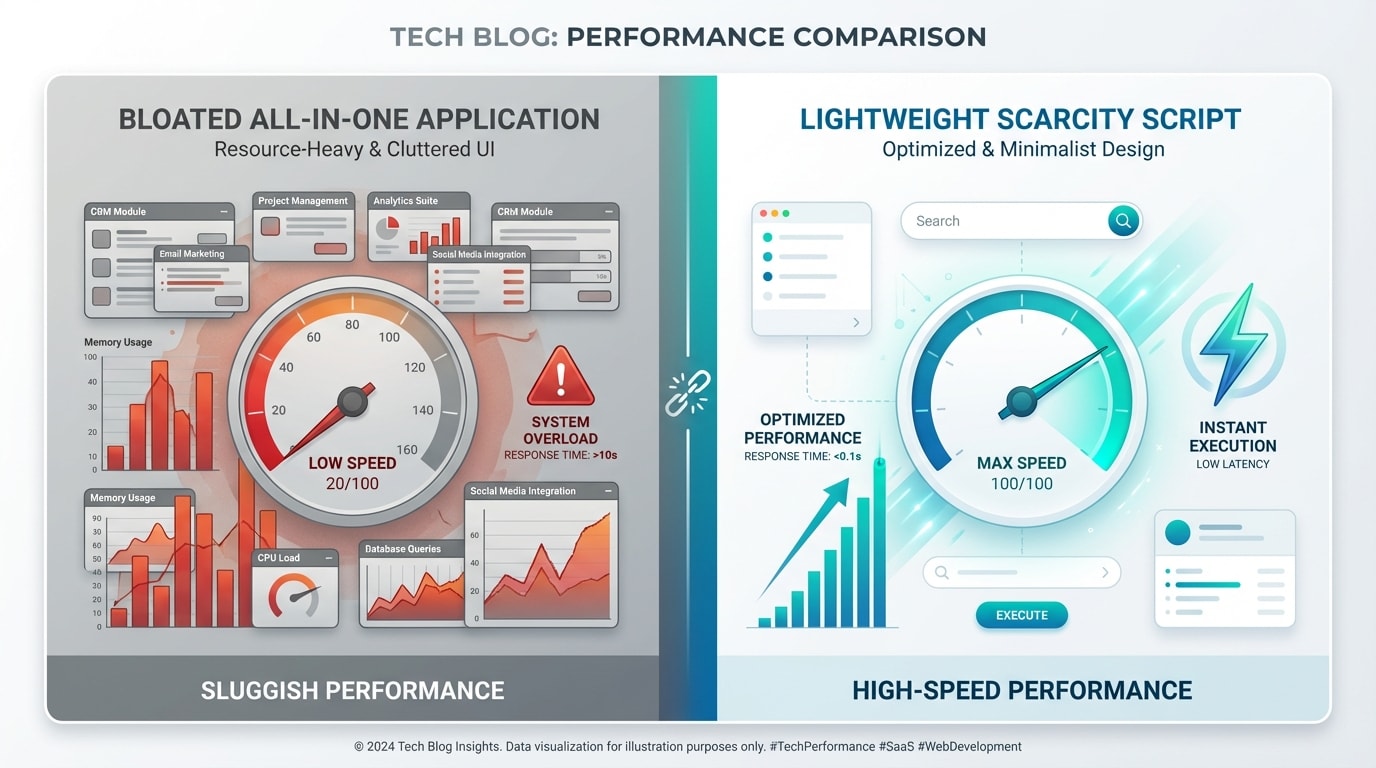
A slow loading page will kill more conversions than a scarcity badge will save.
One of the biggest fears merchants have is that adding a Shopify urgency app will destroy their page load times.
1. The Hidden Cost of All-in-One Apps
Many merchants install massive application suites just to get a simple low stock alert shopify feature. This is a mistake. Heavy third-party scripts inject thousands of lines of JavaScript into your store, destroying your Core Web Vitals. Furthermore, typical scarcity apps use usage-based charges. This penalizes you financially as your traffic grows.
Instead, opt for lightweight solutions like Fordeer Product Labels & Badges that do not bog down your DOM size. Keeping your tech stack lean ensures mobile buyers do not experience a 3-second delay while waiting for a timer to render.
2. Shopify Liquid vs. App Scripts
For intermediate users looking for a shopify scarcity badge free solution, editing your product-template.liquid is entirely possible. Using basic HTML combined with native inventory tracking allows you to display text like "Only X left" with zero performance impact.
However, hard-coding lacks flexibility. You cannot easily run A/B tests or set up geo-specific rules. The sweet spot is utilizing an app built specifically for performance. You need one that seamlessly integrates into your theme blocks without relying on external render-blocking scripts.
IV. Conclusion
So there you go. Optimizing your Shopify scarcity badge conversion rate is not about tricking your customers. It is about assisting their decision-making process. By avoiding aggressive fake timers and relying on authentic low-stock alerts, you preserve your brand's trust and maximize lifetime value.
You do not have to tackle everything at once! Start by auditing your mobile viewport, ensuring your inventory sync is accurate, and transitioning toward clean product labels that load instantly.
Follow the Fordeer Team for more useful updates!
- Install Fordeer Apps for Free
- Get immediate assistance by chatting with us
- Join Fordeer Commerce Community for fresh app updates, expert tips, and private deals.

