

Shopify UGC Photo Strategy: How to Collect, Curate, and Display Real Reviews



Customers are finally leaving reviews on your Shopify store, but there is a problem! The photos are blurry, poorly lit, or show a messy background that completely ruins your carefully crafted brand aesthetic. Even worse, you might be a new store staring at a blank product page, wondering how to get your first piece of visual social proof.
Visual social proof is no longer optional. A truly effective shopify ugc photo review strategy is not just about collecting as many images as possible. It is about balancing volume with quality. When executed correctly, customer photos bridge the trust gap, validate your product's real-world look, and protect your brand equity.
We are going to break down how to solve the cold start problem, incentivize photo reviews effectively, and handle the legal side of rights management. Here is how to turn your customer photos into a high-converting revenue engine.
Let's get started.
I. Overview of the "Visual Friction" Paradox
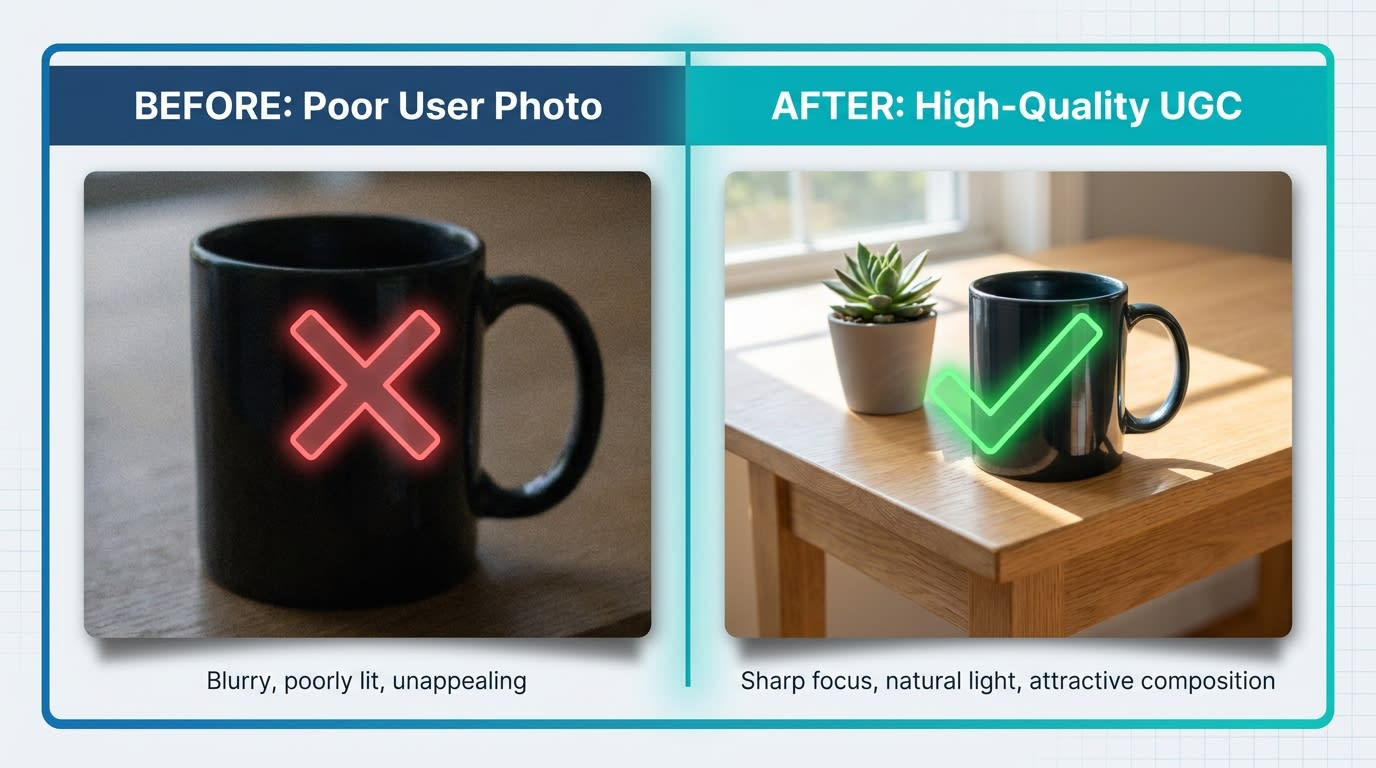
Not all user-generated content is created equal. Quality matters just as much as quantity.
1. The Quality vs. Quantity Dilemma
High-quality user-generated content requires guidelines, but high-volume collection requires a frictionless upload process. This is the visual friction paradox. Aesthetic-driven brands in fashion and home decor often lose conversions when messy photos clutter their beautiful product pages. The goal is curation over mere collection. You need systems that gently push buyers to take better photos without making the upload process too complicated.
2. The Conversion Power of Visual Proof
According to data from Yotpo, photo reviews increase conversion rates by up to 2x compared to text-only alternatives. Buyers trust raw customer content over polished studio shots because it answers unspoken questions. A real customer photo instantly validates sizing, fit, and exact color matching. If you want to understand how this impacts your bottom line, review The Complete Guide to Increase Shopify Conversion Rates to see where visual proof fits into your funnel.
3. Slashing Your Content Costs
Relying entirely on expensive studio shoots destroys your marketing margins. Data from Cometly shows that a proper visual strategy can slash content creation costs by 90%. The real benefit happens in the middle of your funnel. You can easily repurpose these genuine review photos into high-performing Meta and TikTok ads. Let's look at how to actually collect these high-value assets.
II. 7 Strategies to Build a High-Converting UGC Engine
Building a steady stream of customer photo reviews requires psychology, timing, and clear communication. Here is how to optimize your collection process.
1. Fix the "Cold Start" Problem for Low-Traffic Stores

Seed your store's initial visual proof by partnering with micro-influencers.
When you have zero traffic, asking for reviews is a waiting game you cannot afford. You must artificially seed your initial social proof.
Why this matters: Nobody wants to be the first to buy from an empty store. Buyers need to see that others have successfully purchased and enjoyed your product.
Here is how to fix it:
- Leverage micro-influencers: Send free products to creators with small but engaged followings in exchange for native photo reviews on your site.
- Tap into your super-fans: Reach out to friends, family, or your very first customers with a highly personalized email asking for a photo favor.
- First-party data collection: Gather these initial assets manually before moving to automated email requests.
This ensures your shoppable galleries shopify widgets are not sitting empty when real traffic arrives.
2. Leverage "Reciprocity Bias" in Your Incentives
Offering a discount for a review is standard practice. The way you frame that incentive changes everything about the conversion rate.
- Use hard dollar amounts: A $5 off coupon converts significantly better for photo reviews than a 10% discount. It feels like tangible cash rather than a conditional marketing gimmick.
- Offer tiered rewards: Give standard loyalty points for a text review, double points for a photo, and triple points for a video. This pushes customers toward the visual content you actually need.
- Gift freebies over discounts: For high-margin businesses, offering a free small accessory with their next purchase triggers strong reciprocity bias.
3. Implement a "Photo Quality Checklist"
If you want customers to take aesthetic photos, you have to tell them exactly what you are looking for.
Why this matters: Left to their own devices, customers will take a blurry photo in a dark hallway just to secure the discount code.
Here is how to guide them:
- Update post-purchase emails: Instead of just asking for a photo, add a simple visual checklist.
- Specify lighting: Ask them to snap a picture near a window with natural light.
- Define the framing: Suggest showing how they styled it in their living room rather than just photographing the item on a bare table.
Pro Tip: Create a visual example grid in your review request email showing exactly what you love to see.
4. Bridge the Gap with QR Codes in Packaging
The highest point of customer excitement is the exact moment they unbox your product. Do not wait for an automated email two weeks later to capture that joy.
- Physical inserts: Place a beautifully designed card in the box with a prominent QR code.
- Instant upload: Link the QR code directly to a mobile-friendly photo upload form or a specific review app integration.
- The immediate incentive: Print "Scan to get $10 off your next order right now" next to the code to capitalize on their unboxing dopamine rush.
5. Build Shoppable Instagram-Style Galleries

Make your visual social proof actionable by letting customers buy directly from UGC grids.
Once you collect the photos, burying them at the very bottom of the page is a massive wasted opportunity.
Why this matters: Modern shoppers are conditioned by TikTok and Instagram to buy visually. They want to see how a real person wears the item and click to buy that exact look. For a deeper dive into this psychology, read The Complete Guide to User-Generated Content for eCommerce.
Here is how to display them:
- Move galleries up: Place visual social proof blocks right below the main product image carousel.
- Tag the products: Use a gallery app to tag specific SKUs inside the customer photo so viewers can click directly to shop the look.
- Match the aesthetic: Use CSS customization to ensure the widget matches your brand fonts perfectly.
6. Curate and Hide Low-Quality Reviews Gracefully
You set up the system, but a few blurry, poorly lit photos will still slip through. You need a curation workflow to handle them.
- Auto-publish text, hold photos: Configure your Shopify review app to automatically publish 4 and 5-star text reviews. Send all photo attachments to a manual moderation queue.
- Hide the photo, keep the text: If a customer leaves a glowing review but the photo is terrible, approve the text but hide the image from the frontend.
- Protect brand equity: Your product page is a storefront window. You control what goes on display, so curate ruthlessly.
7. Guard Against Fake and AI-Generated Reviews
As AI tools become mainstream, a new problem is emerging. Fake generated review photos designed to game the system are becoming common.
Why this matters: Search engines and Shopify are cracking down on manipulated content. If your store hosts fake reviews, you risk severe SEO penalties and a total loss of customer trust.
Here is how to protect your store:
- Check Exif data: Ensure your review platform verifies the metadata of uploaded photos to confirm they were taken on a real smartphone camera.
- Use AI moderation tools: Leverage apps that automatically flag unnaturally generated images or stock photos pulled from other websites.
- Balance polish and raw authenticity: A photo that looks perfectly generated triggers skepticism from real buyers. Authenticity is always your best defense.
III. Crucial Technical and Legal Considerations

Proper rights management protects your brand from unexpected legal liabilities.
1. Automating UGC Rights Management
One of the biggest mistakes Shopify merchants make is taking a customer photo from a review and running it as a Facebook ad without explicit legal permission. Implied consent from uploading a review does not automatically equal commercial broadcast rights.
You must draft a specific legal boilerplate to include in your upload form. Implement a required Terms of Service checkbox specifically stating your right to use the image in paid marketing materials. For social media collections, use automated outreach tools to reply to Instagram mentions with requests like "Reply #YesBrand to give us permission to feature this." Maintaining FTC compliance protects your business from costly legal liabilities.
2. Revenue Attribution Tracking for UGC
If you invest time and incentives into collecting customer photos, you need to know exactly how much revenue those assets generate.
Move beyond basic collection metrics into Return on Ad Spend and on-site conversion lifts. Set up attribution tracking within your Shopify review app to see which specific photos are clicked most often before a purchase. Integrate your shoppable galleries with Google Analytics 4 to track gallery engagement as a custom conversion event. Use this data to identify your best organic creators and invite them into a formal VIP affiliate program.
IV. Conclusion
So there you go—a comprehensive shopify ugc photo review strategy that moves beyond just begging for stars. It focuses entirely on curating high-quality visual assets. It takes effort to balance the visual friction paradox, but the resulting increase in conversion rates is absolutely worth it.
Preparation is important. You do not have to tackle everything at once. Start small by seeding your initial reviews, implement a photo quality checklist in your post-purchase emails, and ensure you have the proper legal rights to use the content. Setting up these automated systems now will pay dividends for years.
Follow the Fordeer Team for more useful updates!
- Install Fordeer Apps for Free
- Get immediate assistance by chatting with us
- Join Fordeer Commerce Community for fresh app updates, expert tips, and private deals.

