

Subscription Product Labels on Shopify: Flag Recurring Items in Your Catalog


You've spent hours setting up your recurring order app, but customers are still buying one-time options. Why? Search engines and platforms often confuse backend fulfillment shipping labels with frontend marketing badges. If your buyers cannot visually see the subscription deal, they simply will not click it.
With subscription businesses growing 3.7x faster than traditional models, visual differentiation is non-negotiable. Setting up a highly visible Shopify label for subscription product pages ensures shoppers instantly recognize your "Subscribe & Save" offers without digging through complex variant dropdown menus.
In this guide, we will clear up the label confusion, break down the best badge types, and share step-by-step strategies to display custom badges dynamically only when a subscription variant is selected. Let's get your recurring revenue growing.
I. Shipping vs. Merchandising Labels: What You Really Need
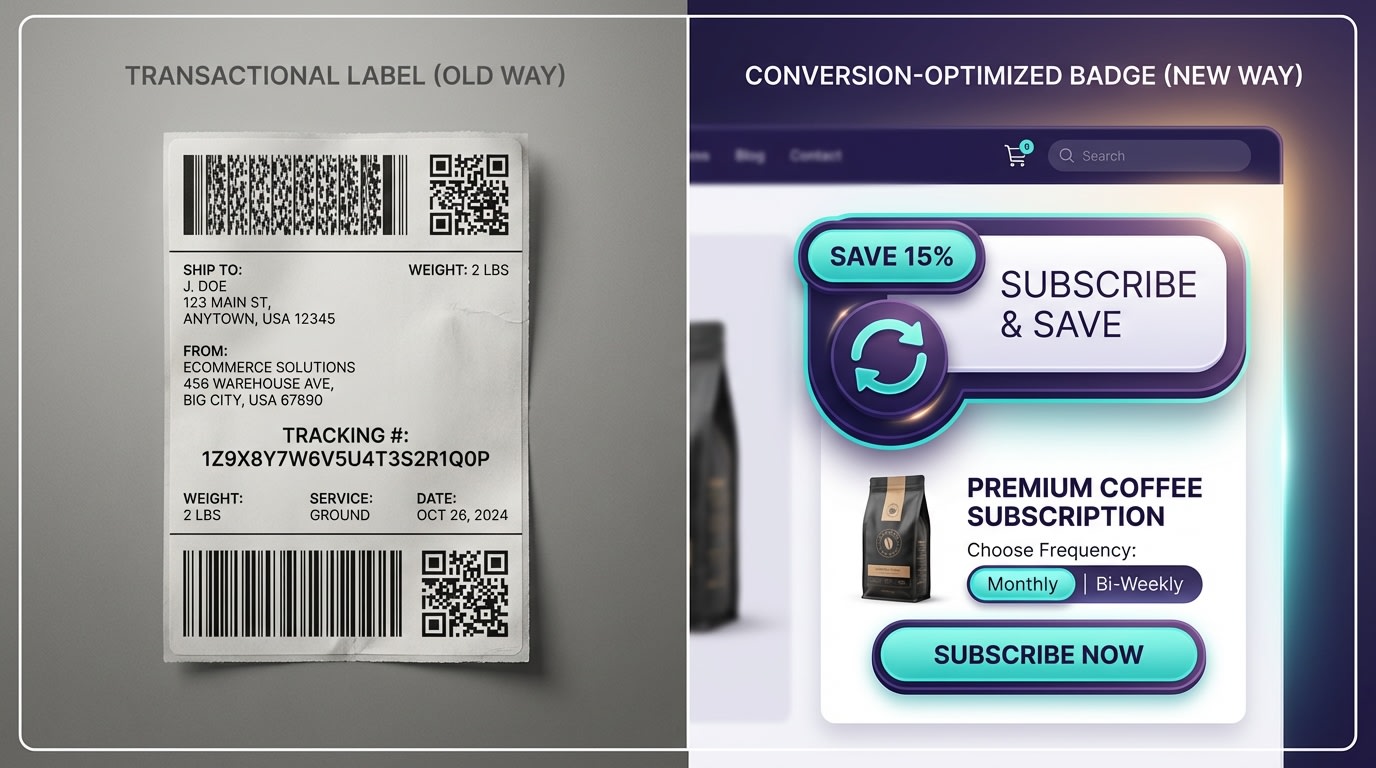
Don't let backend fulfillment terms confuse your frontend marketing strategy.
1. The Dual-Intent Trap
Searching for subscription labels usually brings up carrier accounts and bulk fulfillment tools. Managing shipping labels in your Shopify admin is vital for fulfillment, but it does zero to help sell the actual product. You need to transition your focus to frontend merchandising. We are talking about product labels, custom badges, and AI stickers. For a complete foundation on this topic, read our guide on Product Labels & Badges for Shopify: CRO Encyclopedia (2026).
2. Why Visual Cues Matter for Subscriptions
Product labels and badges can increase CTR by up to 15-25% according to E-commerce Merchandising Standards. Subscribers need instant visual confirmation of value. A clear "Save 20%" tag removes hesitation. This solves a major middle-of-funnel pain point by eliminating the manual work required to update promotional text for your deal of the month.
3. The Native Shopify Limitations
Shopify lacks native support for recurring order visual cues. Without the right logic rules, badges often appear incorrectly on one-time purchase variants. This confuses shoppers and hurts your conversion rate. You need dedicated label apps or specific CSS logic to ensure your tags only show up exactly when and where they belong.
II. Types of Badges for Recurring Orders
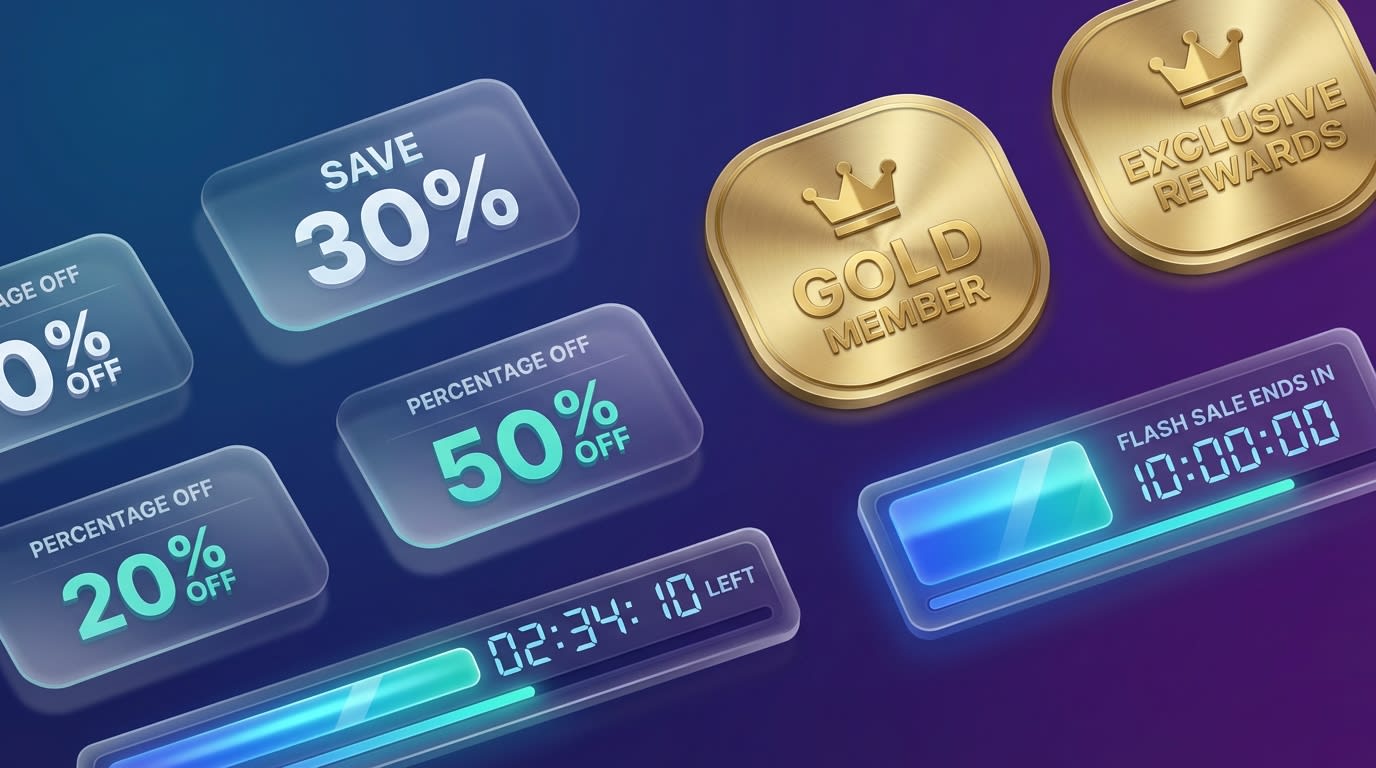
Choosing the right visual cue depends on your subscription model.
1. The Classic Subscribe & Save Badge
This is the most universally recognized subscription product tag. It focuses purely on the financial discount.
Here is how to use it:
- Collection Pages: Draw attention away from one-time purchases immediately.
- Highlight Savings: Display exact dollar amounts or percentages to prove value.
- Keep It Simple: Use clean fonts and contrasting colors for high visibility.
2. Tiered Membership Labels
Designing labels for specific customer segments works wonders. This approach appeals to exclusivity and VIP status.
Try these formats:
- Status Tags: Create Gold, Silver, or Platinum badges for different tier levels.
- Perk Highlights: Focus on benefits like "VIP Early Access" instead of just discounts.
- Member Exclusives: Tag specific products as only available to active subscribers.
3. Urgency and FOMO Stickers
Using countdown timers or limited-time offer badges on subscription boxes creates immediate action. This pushes hesitant buyers to checkout quickly.
Best practices include:
- Enrollment Windows: Add a "Closes in 2 Days" tag to monthly box signups.
- Stock Limits: Show a "Only 5 Spots Left" badge for exclusive subscriptions.
- Automated Removal: Ensure these disappear when the window closes so you maintain credibility.
III. 6 Strategies to Optimize Your Subscription Badges
When it comes to a Shopify label for subscription product template, one size does not fit all. Here is how to implement intelligent, dynamic badges that actually boost sales.
1. Trigger Dynamic Variant-Level Badges
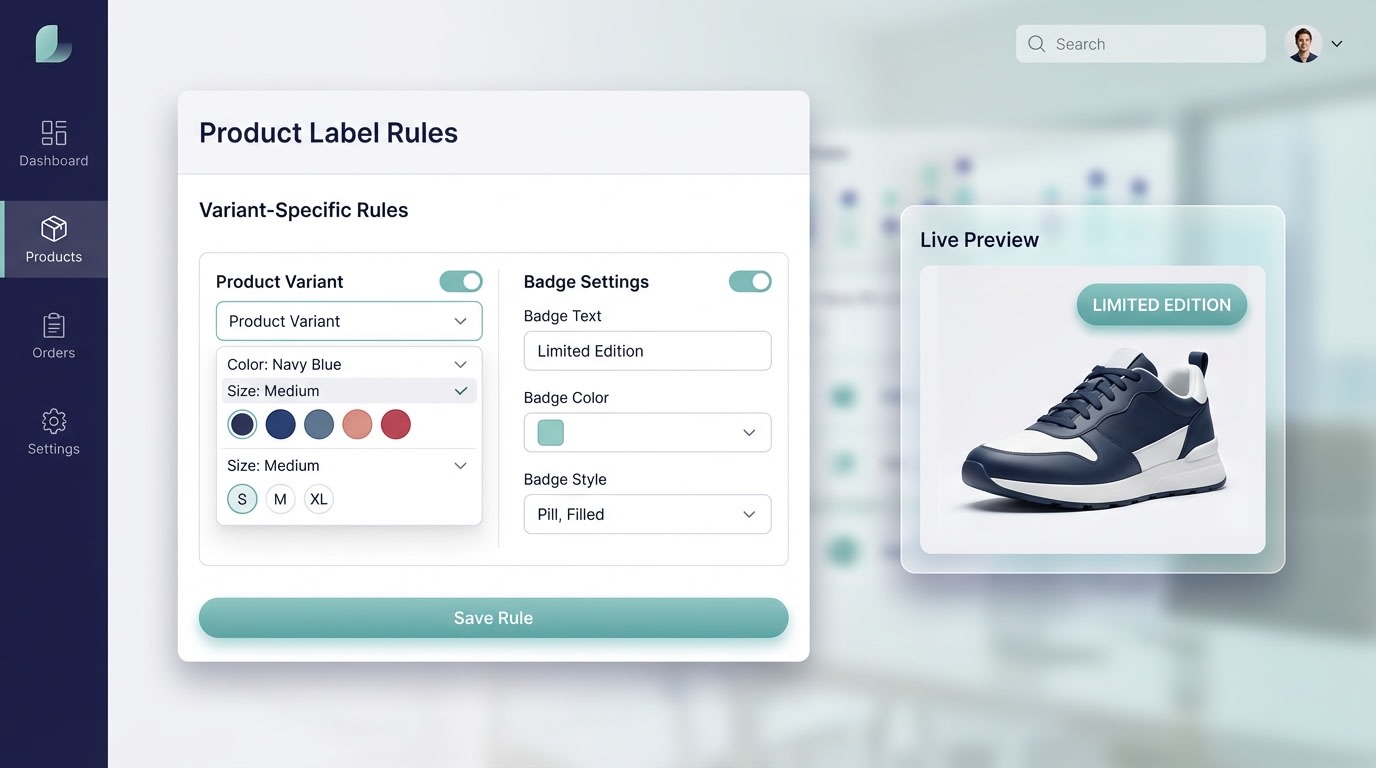
Dynamic variant logic ensures badges only show when appropriate.
One of the biggest pain points merchants face is badges appearing on one-time purchase variants. Showing a discount badge on a full-price purchase destroys trust at checkout.
How to implement:
- Map your variants: Ensure your subscription app creates distinct variants for recurring orders.
- Set rule-based automation: Create logic that says, "IF variant title contains Auto-renew, THEN show badge."
- Test the toggle: Verify that when a user clicks between "One-time purchase" and "Subscribe", the product badge dynamically appears and disappears.
This precise targeting protects your margins and keeps your product pages looking clean.
2. Automate the Subscription Day Workflow
Manually updating labels for recurring order cycles or special deals is a massive waste of time. Rule-based automation lets you set it and forget it.
Here is the workflow:
- Schedule campaigns: Set start and end dates for special recurring billing badges.
- Use inventory triggers: If your subscription box has limited slots, trigger an automated stock warning label.
- Align with billing cycles: Highlight different perks depending on when the customer signs up during the month.
3. Sync Directly with Subscription Apps
Your merchandising labels must communicate flawlessly with tools like Recharge, Bold Commerce, or the native Shopify Subscriptions App. Third-party subscription apps use Liquid metafields to manage data.
Follow these steps:
- Locate app metafields: Find the specific tags your subscription app injects into your theme.
- Create custom rules: Build a Shopify subscription variant label that pulls the exact discount percentage directly from the app's data.
- Ensure theme compatibility: Check that your label app flawlessly integrates with App Block architecture on OS 2.0 themes.
Pro Tip: Look for apps that offer one-click integration with major subscription tools to skip the manual metafield hunting entirely.
4. Leverage CSS for Custom Positioning
Sometimes, standard label placements overlap with product images or crucial text on complex pages. A misplaced badge covers up product details and hurts your conversion rate.
Position your badges perfectly:
- Identify the CSS class: Inspect your product image container to find the exact class name.
- Use a CSS editor: Inject custom margins or padding specific to the subscription label.
- Position strategically: Place the discount label directly next to the Add to Cart button rather than just on the main image for maximum visibility.
5. Highlight Predictive Shipping Perks
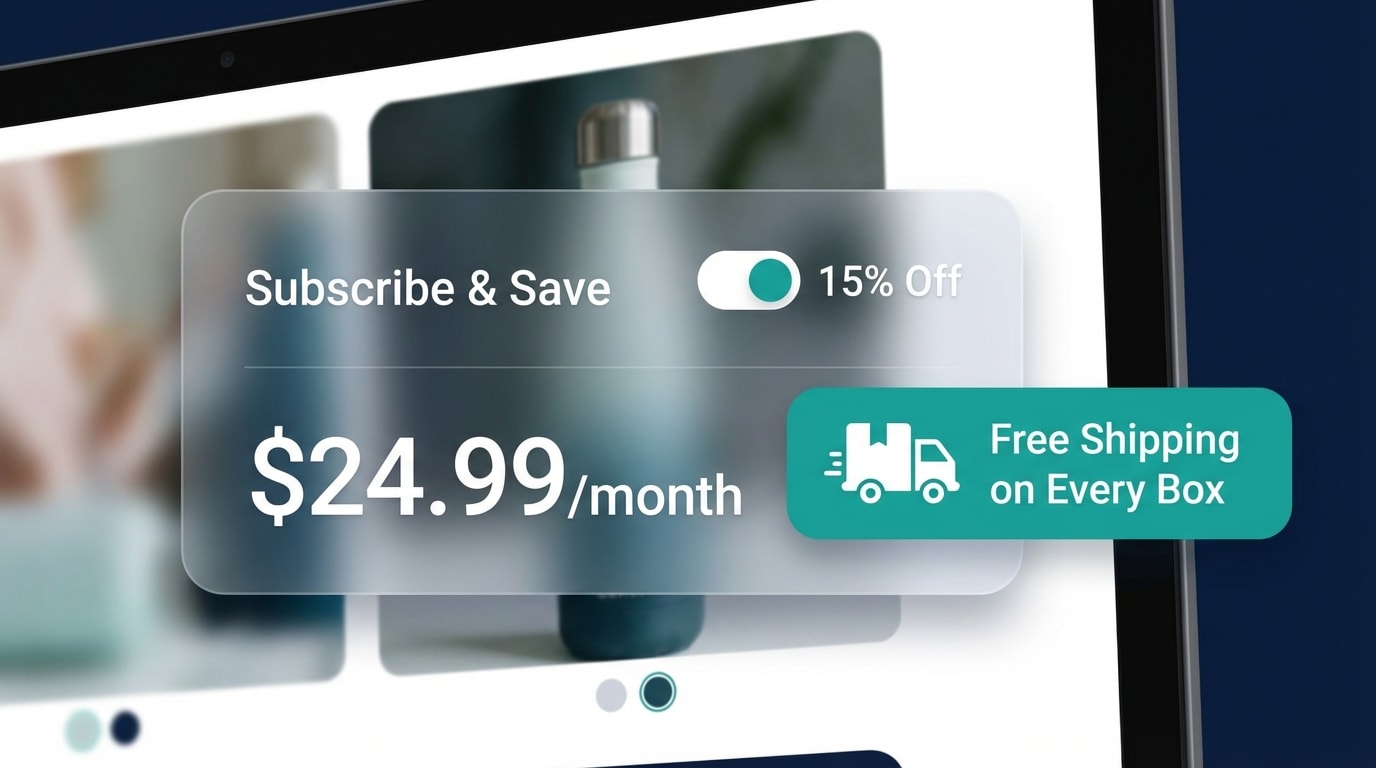
Combine shipping perks with merchandising badges for maximum effect.
Shipping costs are the number one reason for cart abandonment. Highlighting free shipping directly on the product secures the sale.
Strategies to try:
- Create a DDP badge: If you offer Delivered Duty Paid for international boxes, flaunt it.
- Use text-heavy labels: Instead of just "Save 15%", use a badge that says "Save 15% + Free Monthly Delivery".
- Automate by location: Show this specific badge only to domestic customers where you can guarantee the low shipping cost.
6. A/B Test Your Visual Cues
What works for a coffee subscription might not work for a monthly skincare box. Guessing which design drives the highest CTR leaves money on the table.
Testing methodologies:
- Test designs: Pit a modern AI sticker against a traditional ribbon badge.
- Test messaging: Compare standard financial messaging against VIP status messaging.
- Track the metrics: Monitor which label generates a higher volume of recurring order selections over a 30-day period.
Continuous testing ensures your merchandising strategy evolves alongside customer preferences. Discover additional strategies on how Product Badges: How to Make Your Products Stand Out and Drive Sales can elevate your catalog.
IV. Other Things to Keep in Mind
Before you finalize your subscription badge strategy, keep a few technical details in check to ensure a smooth user experience.
1. Mobile Responsiveness is Critical
Mobile shoppers make up the majority of e-commerce traffic. A badge that looks great on desktop might obscure the entire product image on a smartphone. Ensure your label solution automatically scales down or repositions for mobile screens. A responsive badge enhances the user experience rather than ruining it. Always preview your product pages on an actual mobile device before pushing your new tags live.
2. Avoid Label Clutter
More labels do not equal more sales. Do not stack a Best Seller, a discount tag, and a Low Stock badge on the exact same image. You must prioritize the subscription badge because recurring revenue holds a higher customer lifetime value. Use logic rules in your app to automatically hide lower-priority tags whenever the recurring subscription label is active. This keeps the customer's focus exactly where you want it.
V. Conclusion
So there you go—setting up a high-converting Shopify label for subscription product variants does not have to be a headache. By distinguishing between backend fulfillment tags and frontend merchandising badges, you can implement dynamic visual cues that guide customers straight to your recurring offers. Remember to utilize variant-level logic and lean into automation so you are not doing manual updates every single month.
You have the tools to make your subscription deals visually irresistible. Start with basic variant rules, test your badge placements, and watch your recurring revenue grow consistently over time.
Follow the Fordeer Team for more useful updates!
- Install Fordeer Apps for Free
- Get immediate assistance by chatting with us
- Join Fordeer Commerce Community for fresh app updates, expert tips, and private deals.

