

Best Free Shopify Pre-Order Apps in 2026 (No Monthly Fee Options)


You finally find what looks like a reliable Shopify preorder app free plan, hit install, and suddenly your store's loading speed tanks. It is a frustrating reality. Saving $10 a month on an app subscription is entirely defeated if heavy background scripts drop your overall conversion rate by 5 percent.
For intermediate Shopify merchants trying to manage inventory and maintain cash flow for out-of-stock items, finding a genuine free solution is critical. The App Store is flooded with hidden trials disguised as free plans, leaving sellers confused about what happens when the 14-day window expires.
In this guide, we are cutting through the App Store noise. We will break down how to avoid the freemium speed trap, share top-rated lightweight solutions, and even show you how to set up pre-orders without an app at all.
Let's get started!
I. Overview of the "Freemium Speed Trap"

Not all free apps are actually free when you factor in the cost to your site's performance.
1. The Cost of Heavy App Scripts
Most free pre-order apps rely on heavy external scripts to function. When a customer loads your product page, these scripts must execute completely before the standard "Add to Cart" button transforms into a pre-order button. According to Google Core Web Vitals, every extra second of load time actively reduces your conversions. Protecting your site speed matters much more than saving a few dollars a month on software. If you want to Double Your Sales With The Pre-Order & Pre-Sale Powerhouse, you must ensure your store's underlying code remains clean and fast.
2. "Forever Free" vs. "Hidden Trials"
Many Shopify App Store listings blur the line between a temporary 14-day trial and a genuine free plan. You might get basic pre-order buttons at no cost initially, but you will quickly hit a paywall when you need essential features like automated customer emails or mixed cart alerts. Always review the detailed pricing tiers to see exactly what features remain active after the trial period ends.
3. Missing Features in Standard Free Tiers
Standard free tiers rarely include advanced functionality like partial payments. They also strictly limit API calls and restrict variant-level inventory tracking. Set realistic expectations for your business. A standard free plan works perfectly for basic demand testing, but managing high-volume pre-sale campaigns usually requires an upgraded tool.
II. 4 Best Strategies for Cost-Free Pre-orders
We analyzed Shopify App Store reviews and merchant community discussions to find the most reliable methods. Here are four ways to manage pre-orders effectively without breaking the bank.
1. Choose Lightweight, Official Ecosystem Apps
Always verify developer credentials and performance scores before installing.
When browsing the Shopify App Store, prioritize apps built with modern infrastructure.
Why this matters: Apps that integrate directly with Shopify's native checkout and Inventory API do not require heavy liquid theme injections. This keeps your store lightning fast.
How to implement:
- Check the review counts: Look for established social proof. Apps with over 150 verified reviews generally signal reliable performance and active developer support.
- Test speed impact immediately: Run a Google PageSpeed Insights test before and after installing the app to measure the actual performance hit.
- Look for "Built for Shopify" badges: This specific badge ensures the developer meets strict performance and user experience standards set by Shopify.
2. The DIY Template Edit (No App Required)
Many experienced merchants advocate for skipping apps entirely if you only have a few out-of-stock products to manage.
Why this matters: A manual liquid template modification gives you total control over your code. You pay zero monthly fees and experience absolutely no performance degradation.
How to implement:
- Duplicate your live theme: Always create a backup before editing any code.
- Create a custom product template: Go to your theme editor and create a new template named "pre-order".
- Modify the Add to Cart button: Change the liquid text output from standard wording to "Pre-order Now" for this specific template.
- Assign the template: Apply this new custom template to any out-of-stock product you want to pre-sell.
Pro Tip: This DIY method is perfect for basic demand management, but it won't automatically swap out the button when inventory arrives. You will need to switch the template back manually.
3. Implement the Partial Payment Workaround
Finding a completely free app that accepts partial payments is incredibly rare, yet it is crucial for selling high-ticket items.
Why this matters: Asking for full payment upfront on a delayed product can crush your conversion rate. Customers prefer leaving a deposit.
How to implement:
- Use Draft Orders: Manually create a draft order and send an invoice to the customer for a 20 percent deposit.
- Leverage Shopify Flow: If you are on the Advanced plan, use Flow to automate tagging and internal notifications for these specific orders.
- Communicate clearly: Use an announcement bar or product page text to state your deposit terms explicitly.
4. Optimize Your Product Pages for Pre-sale Transparency
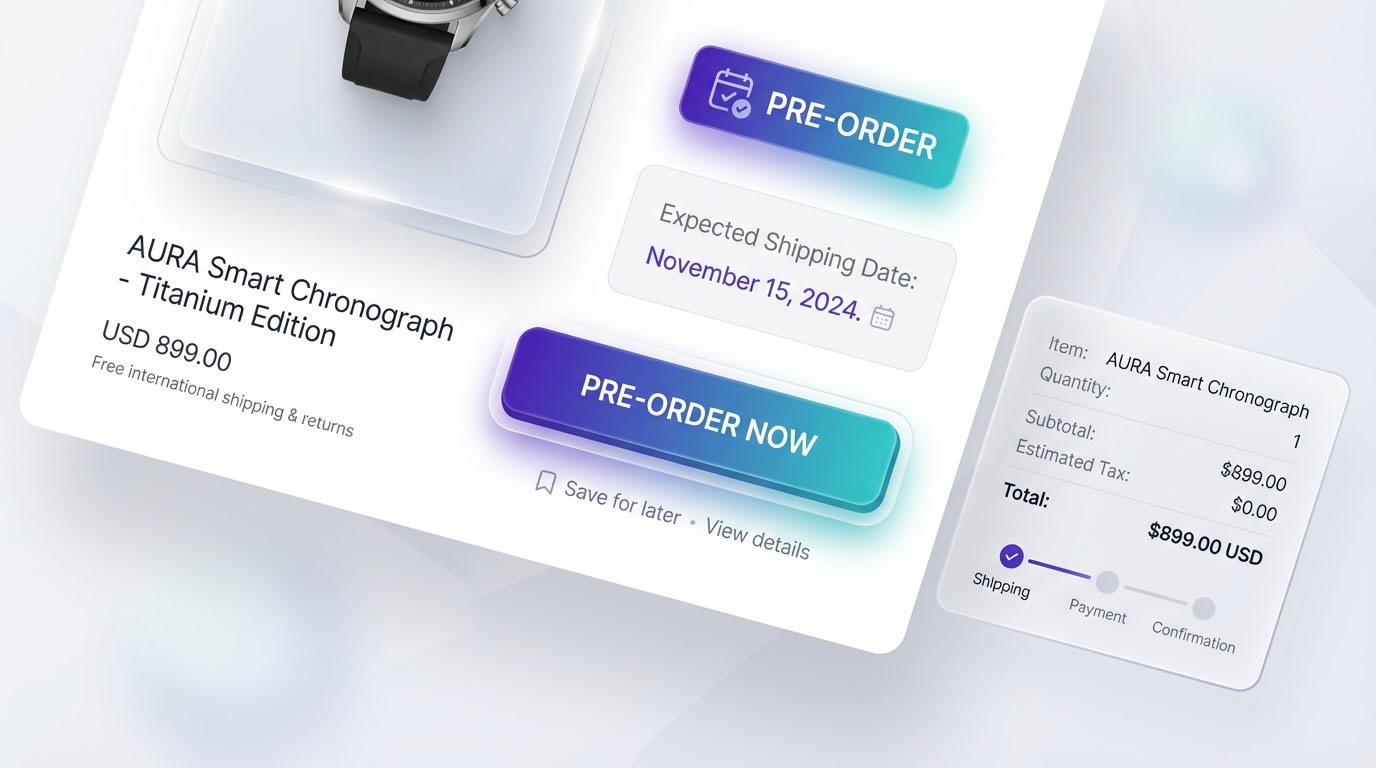
Clear communication is just as important as the technology powering your pre-orders.
Whether you use a free app or a DIY setup, how you present the offer dictates your ultimate success.
Why this matters: Customer anxiety is the primary reason pre-orders fail. Complete transparency builds buyer trust and prevents costly payment chargebacks.
How to implement:
- Update your shipping policy: Create a dedicated section explaining exactly how your pre-order fulfillment process works.
- Add explicit shipping dates: Never say shipping soon. Say your product ships by October 15th.
- Use clear badging: Ensure your collection pages display a prominent pre-order badge directly over the product images so shoppers know exactly what they are clicking.
III. Handling the Mixed Cart Dilemma
The ultimate nightmare scenario happens when a customer buys one item ready to ship today, and one item on pre-order. Handling fulfillment correctly prevents angry buyers and negative reviews. If you are currently exploring the Top 05 Shopify PreOrder Apps in 2024 to Maximize Revenue, make sure your chosen solution addresses this specific issue.
1. Set Up Split Fulfillment Rules
Use Shopify's native location routing to handle mixed carts seamlessly. You must inform the customer right away that their order will arrive in two separate packages. Configure your shipping profiles to charge appropriate rates for split deliveries so you don't lose money on extra postage.
2. Configure Clear Checkout Warnings
Manage buyer expectations before they enter their credit card information. Use cart notes or lightweight warning apps to display an alert if a mixed cart is detected. This single, proactive step eliminates most post-purchase complaints and support tickets.
3. Post-Checkout Automation
Use standard Shopify order confirmation emails to remind customers about the delayed portion of their order. Maintaining absolute cash flow transparency ensures the customer doesn't initiate a payment dispute out of sheer confusion. Keep them updated weekly until the item ships.
IV. Conclusion
So there you go. Finding a Shopify preorder app free plan that actually benefits your business comes down to looking past the marketing hype. By understanding the freemium speed trap, utilizing lightweight tools, and perhaps even trying a DIY liquid edit, you can capture sales for out-of-stock items without sacrificing your site's performance.
You don't need a massive budget to manage demand effectively. Focus on clear customer communication, handle your mixed carts carefully, and your pre-sale campaigns will thrive.
Follow the Fordeer Team for more useful updates!
- Install Fordeer Apps for Free
- Get immediate assistance by chatting with us
- Join Fordeer Commerce Community for fresh app updates, expert tips, and private deals.

