

Shopify Invoice vs. Receipt: What Merchants Actually Need to Know

You just closed a high-value B2B sale. Your customer immediately replies asking for a proper tax invoice. Wait, didn't Shopify already send them an order confirmation? This common scenario exposes a massive blind spot for many merchants relying solely on default settings.
Understanding the shopify invoice vs receipt difference is critical for both cash flow and legal compliance. Default notifications work fine for simple B2C sales. Tax authorities require specific documentation for business tax reclamation and auditing.
In this guide, we will break down the functional and legal differences between these two documents. We will explore the Draft Order gray area and share actionable strategies to automate your document workflow within the Shopify admin.
Let's get started.
I. Overview of Invoices vs. Receipts
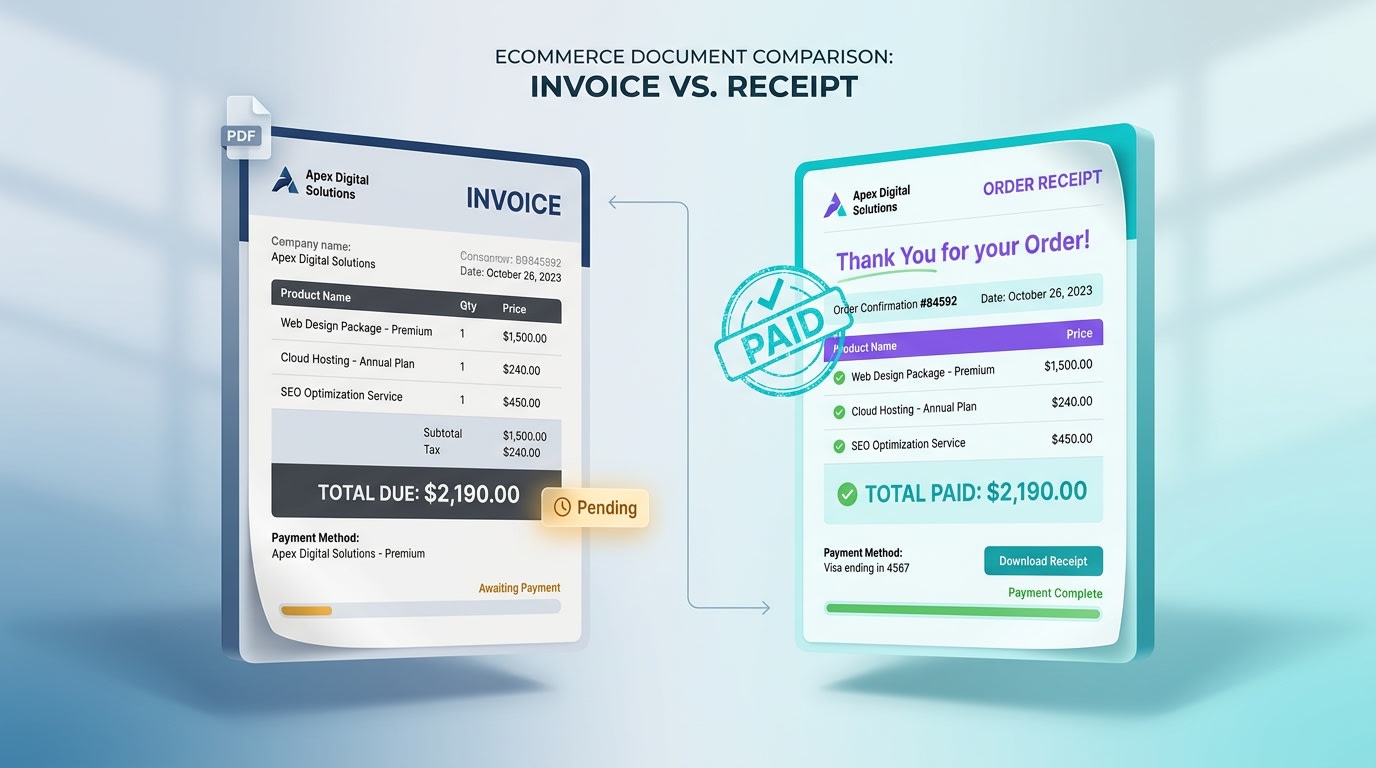
A clear view of a request for payment versus a proof of payment.
1. What is an Invoice? (The Request)
An invoice is a formal request for payment issued before the customer pays. It acts as a bill outlining the specific payment terms required to finalize the transaction, such as Net 30 or Due on Receipt. According to the Shopify Retail Guide, invoices strictly dictate when and how a customer owes you money.
2. What is a Receipt? (The Confirmation)
A receipt is your final proof of payment. You issue this document only after the sales transaction is 100% complete and funds are captured. When Shopify sends its default Order Confirmation email to a customer, it is functionally acting as a receipt. It finalizes the transaction timeline.
3. Why Default Order Confirmations Fall Short
A default Shopify notification email is not a legal tax invoice. While it summarizes the purchase, it lacks the mandatory business tax IDs and regional tax breakdowns required for accounting. Tax authorities like the IRS require specific header formats to create a proper audit trail. Relying on simple email confirmations puts your B2B customers at risk during tax season.
II. The "Gray Area" of Shopify Draft Orders
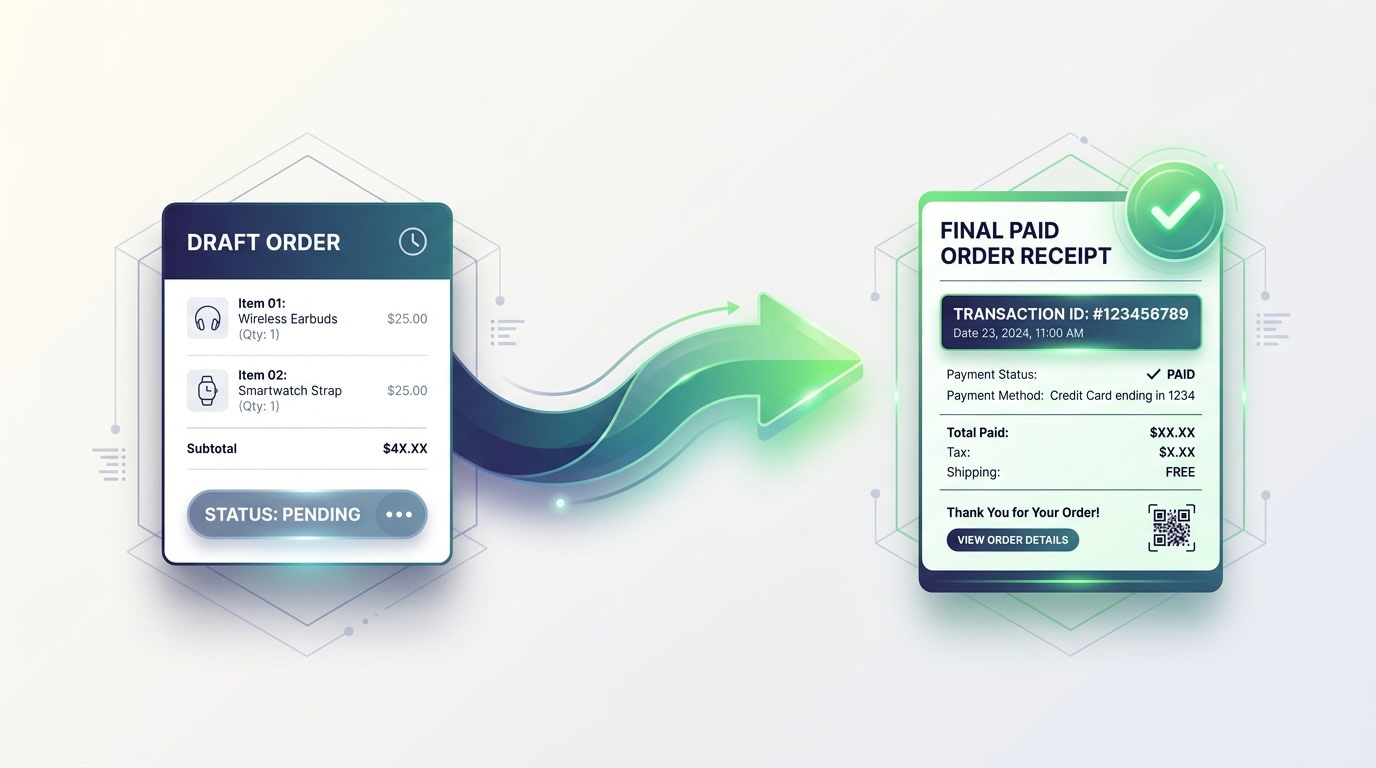
How Shopify Draft Orders bridge the gap between invoicing and receipts.
1. Draft Orders as Pro-Forma Invoices
Wholesale merchants constantly use the shopify draft order as proforma invoice workaround. You capture the order details in your admin before collecting funds. This creates a document you can share with buyers for approval. Before you convert this draft, you must understand The Crucial Differences Between Invoices and Purchase Orders to keep your financial records accurate.
2. The Transition to Completed Receipts
The transition happens in a strict timeline. First, you send the Draft Order to your customer. This acts as the invoice. Next, the customer pays via the secure checkout link. Finally, Shopify converts that Draft into an active Order. This active order state represents your final receipt.
3. The Automation Gap
Shopify does not automatically swap document titles or PDF attachments during this transition. This automation gap requires merchants to manually adjust templates. Without a third-party app, you are stuck sending documents that confuse buyers. You need a dedicated difference between invoice and receipt pdf generation tool to handle this shift seamlessly.
Here is how to fix this gap.
III. 5 Strategies to Automate Shopify Invoices and Receipts
Managing documentation shouldn't require manual data entry for every single order. Here is how you can practically automate the distinction between invoices and receipts directly in your Shopify store.
1. Use Draft Orders for B2B Payment Terms
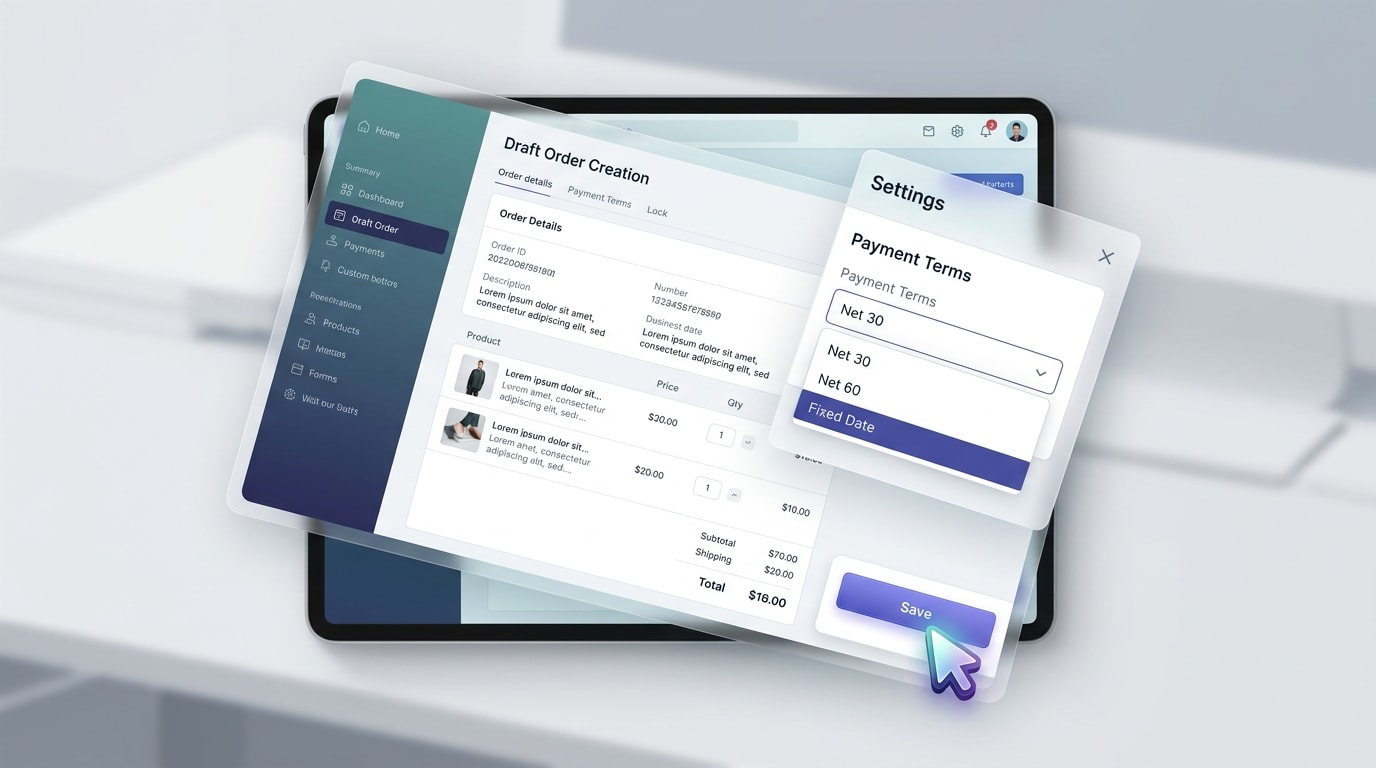
Setting up payment terms within a Shopify Draft Order.
If you sell wholesale, relying on the standard checkout won't work.
Why this matters: B2B customers expect to review a formal document before passing it to their accounts payable department.
Here's how:
- Create the Draft: Go to your Orders tab and manually create a Draft Order.
- Set Terms: Apply specific payment terms like Net 30 or Due on Receipt.
- Email the Invoice: Use the "Email Invoice" button to send the checkout link natively.
This ensures the document acts strictly as a request for payment until the gateway clears the transaction.
2. Implement a Dedicated PDF Invoice Generator
Relying on Shopify's default emails is a common mistake seen in every shopify invoice vs receipt reddit thread.
Why this matters: Default notifications cannot generate the downloadable PDFs that international businesses require for their accounting software.
Here's how:
- Bypass the default: Install an app like Fordeer PDF Invoice Generator.
- Map the workflow: Set the app to attach a PDF Invoice when an order is created.
- Automate the receipt: Configure the app to send a PDF Receipt when payment is captured.
- Customize formatting: Ensure your branding remains consistent across both document types to build trust with buyers.
3. Customize Liquid Code for Document Differentiation
If you use Shopify's Order Printer, you must make the document's purpose immediately clear.
Why this matters: Sending a document titled TAX INVOICE for a fully paid order confuses customers and their accountants.
Here's how:
- Use conditional logic: Add the
{% if order.financial_status == 'paid' %}Liquid tag. - Toggle titles: Set the code to display RECEIPT if paid, and TAX INVOICE if pending.
- Update notifications: Apply similar logic to your email subject lines in the settings.
Pro Tip: Always include a "Balance Due: $0.00" line on your receipts. It instantly clarifies that the document is a proof of payment.
4. Ensure Compliance with Regional Legal Requirements
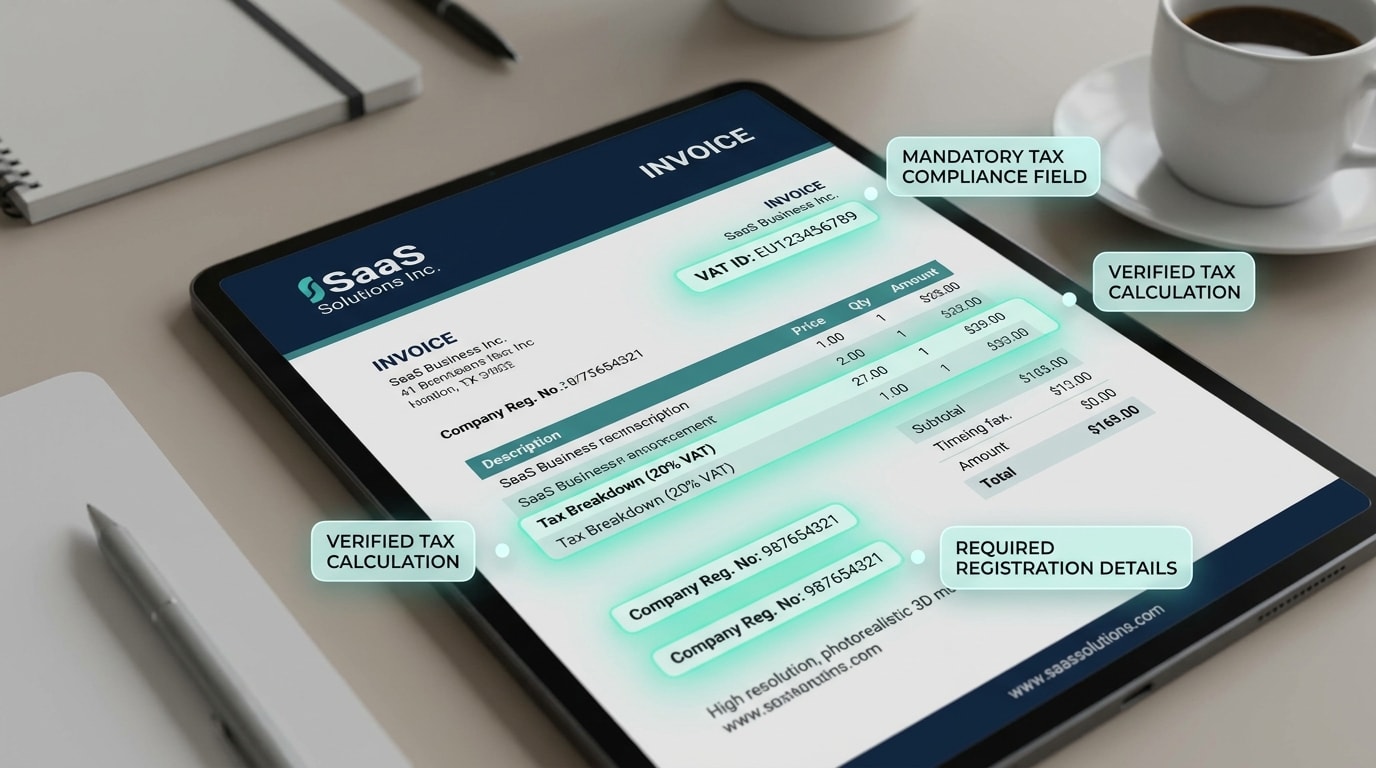
Essential elements required for VAT compliance.
Understanding the legal requirements for shopify invoices prevents costly audit headaches down the road. You need to know exactly What are the different types of invoices? to ensure your documents meet regional standards.
Why this matters: Tax authorities will reject your customers' tax reclamation claims if the headers are incorrect.
Here's how:
- Business Details: Include your registered business name, address, and Tax ID.
- Customer Details: Include the billing address and the buyer's Tax ID.
- Line-Item Breakdown: Show the exact tax rate applied to each individual item.
5. Create Tag-Based Workflows for B2B vs. B2C
You don't need to send complex tax invoices to retail customers buying a single t-shirt.
Why this matters: Segmenting your document delivery keeps B2C emails clean while satisfying strict B2B compliance needs.
Here's how:
- Tag your customers: Use customer tags like Wholesale or B2B_Client in Shopify.
- Use Shopify Flow: Create a workflow that triggers upon order creation.
- Automate delivery: Set a condition to trigger Fordeer to email a full Commercial Invoice for wholesale tags. Let Shopify handle standard retail receipts.
This targeted approach saves time and provides a tailored post-purchase experience that builds long-term loyalty.
IV. Conclusion
So there you go—the fundamental shopify invoice vs receipt difference comes down to timing and compliance. An invoice is a request for payment outlining terms, while a receipt is your final proof of payment. By addressing the gray area of Draft Orders, you can stop relying on generic notifications and start providing professional documentation.
You don't have to manage this manually. Automating your PDF document generation based on payment status saves hours of administrative work and keeps your buyers happy. Start automating your workflow today to protect your cash flow.
Follow the Fordeer Team for more useful updates!
- Install Fordeer Apps for Free
- Get immediate assistance by chatting with us
- Join Fordeer Commerce Community for fresh app updates, expert tips, and private deals.

