

UGC for Food and Beverage Brands on Shopify: Make People Hungry and Curious


A customer loves your artisanal hot sauce. They take a poorly lit, blurry photo of their messy dinner plate, tag your brand, and post it online. It is authentic, but does it look appetizing? Probably not. For food and beverage merchants, generic social proof is simply not enough.
Integrating a successful shopify ugc for food brand strategy is uniquely challenging. Unlike fashion or consumer tech, selling food relies entirely on sensory marketing. If a product photo fails to trigger an immediate craving, it will not convert into a sale. Today, leveraging shoppable galleries is no longer just about showing customers using the product. It is about curating an elevated sensory experience.
In this guide, we will explore why appetite appeal matters more than raw authenticity. You will learn how to categorize your content, implement technical widgets, train your customers to take better photos, and safely navigate food industry usage rights.
Let's get started!
I. Overview of Food Brand Social Proof
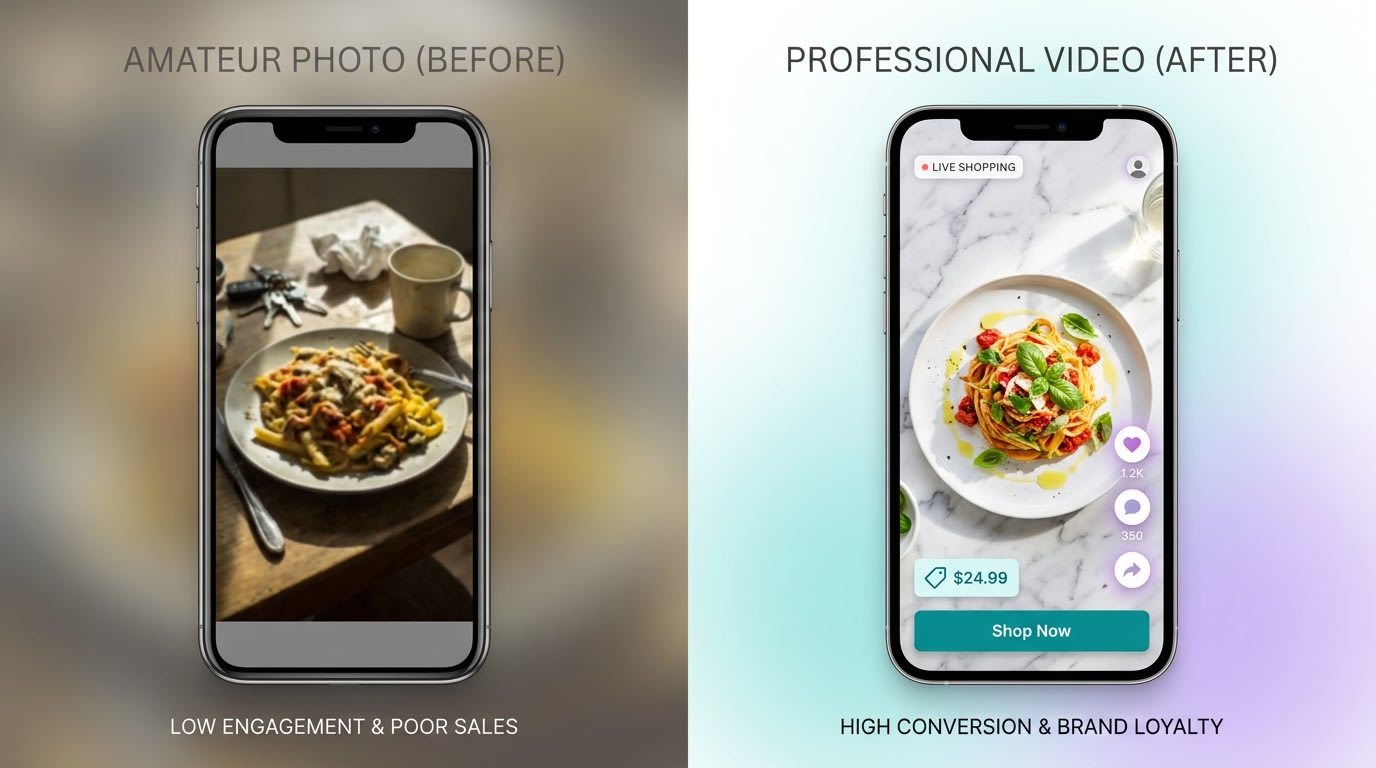
Authenticity shouldn't mean sacrificing appetite appeal in your store galleries.
1. The Appetite Appeal Gap
Many competitors treat customer photos as a basic social proof checkbox. They pull every tagged Instagram photo onto their product pages regardless of quality. This creates a massive appetite appeal gap.
Food brands experience significantly higher return rates and customer complaints when product expectations do not match the authentic user photos displayed. To succeed, you must adopt a philosophy of moderating for appetite. Every piece of visual content on your store should make the viewer want to eat or drink exactly what they see.
2. Shoppable Video and the Hungry Scroll
Mobile-first audiences consume food content rapidly through TikTok and Instagram Reels. They scroll until something catches their eye and makes them hungry.
Transitioning from static image galleries to shoppable video integration captures this exact behavior. Shoppable videos show the steam rising off a hot dish or the perfect pour of a morning coffee. Catching the user during their hungry scroll with dynamic movement is critical for driving immediate conversions.
3. The Revenue Impact
Shoppable content directly influences your middle-of-funnel (MOFU) metrics. According to Miappi, shoppable user content can increase Average Order Value (AOV) by up to 20%. Furthermore, data from Yotpo shows that galleries placed on product pages result in significantly higher conversion rates compared to standard stock photography.
These numbers prove that dedicated gallery apps are a necessity, not a luxury. For a deeper understanding of how these visual elements drive sales, check out our guide on Converting Visitors into Clients: The Impact of Social Proof Widgets.
II. Best Content Formats for Food Brands
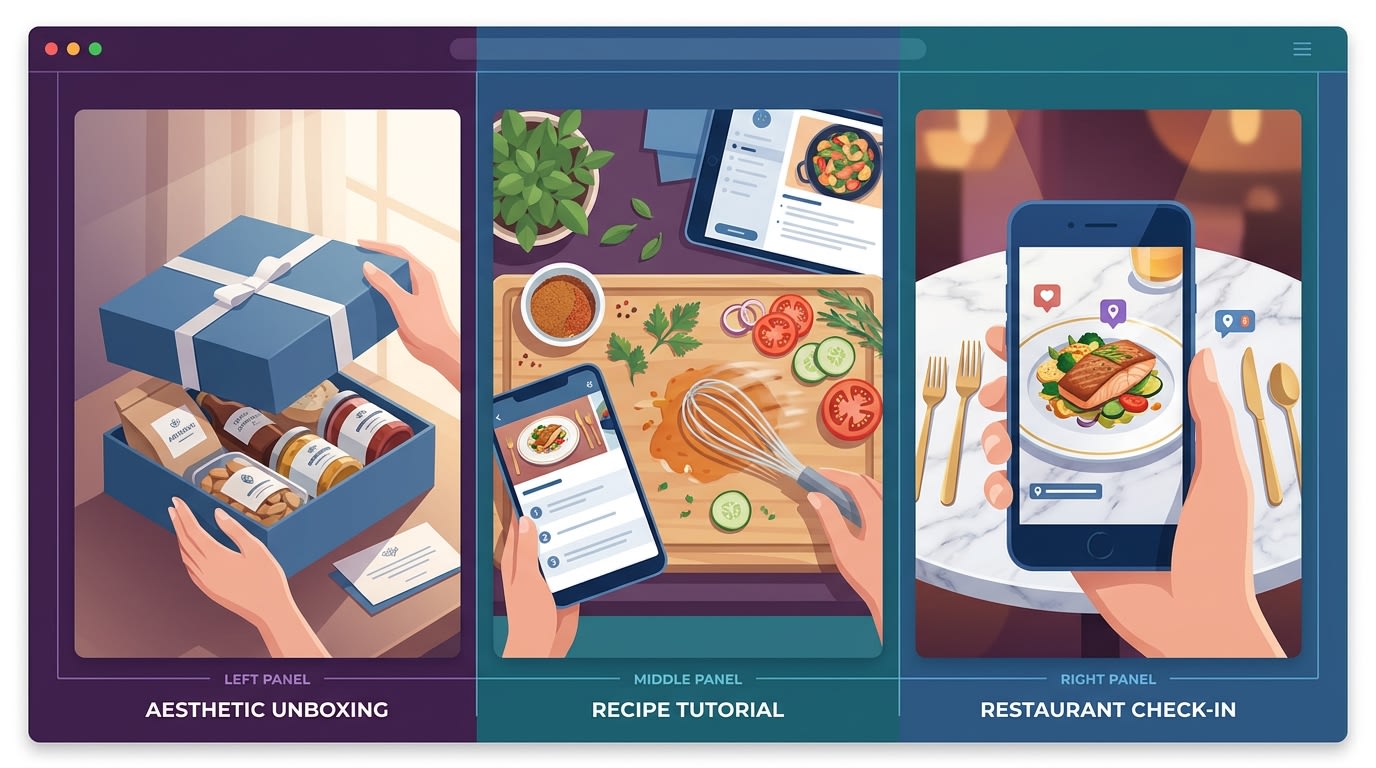
Not all UGC is created equal. Focus on formats that drive sensory engagement.
Before integrating any app into your Shopify store, you need to know exactly what specific formats to request and curate from your audience. Here are the most effective formats for food brands:
- Recipe Tutorials: This is the gold standard for food marketing. Instead of just showing your packaging, this format shows the product in action. It inspires customers by showing them exactly how to integrate the item into their daily meals.
- The Sensory Unboxing: Unlike tech unboxings focused on specifications, food unboxings must focus entirely on the senses. Look for videos highlighting texture, satisfying sounds (ASMR), and visual freshness. This builds immediate anticipation.
- Restaurant and Cafe Check-ins: For B2B2C brands, showing your ingredients used by professional chefs or local cafes builds massive authority. It signals high quality and professional trust.
- Before and Afters: This format is highly effective for functional beverages or protein products. Just ensure they comply with health claim guidelines before posting them to your store.
- Aesthetic Pantry Tours: Customers love organizing visually pleasing products. Showcasing a beautifully stocked pantry encourages bulk buying and increases AOV as shoppers try to replicate that exact aesthetic in their own homes.
III. 7 Strategies to Optimize Shopify UGC for Food Brands
Implementing a profitable shopify ugc for food brand strategy requires a mix of technical app configuration and proactive community management. Here are the seven steps to optimize your store.
1. Create a Customer Photography Guide
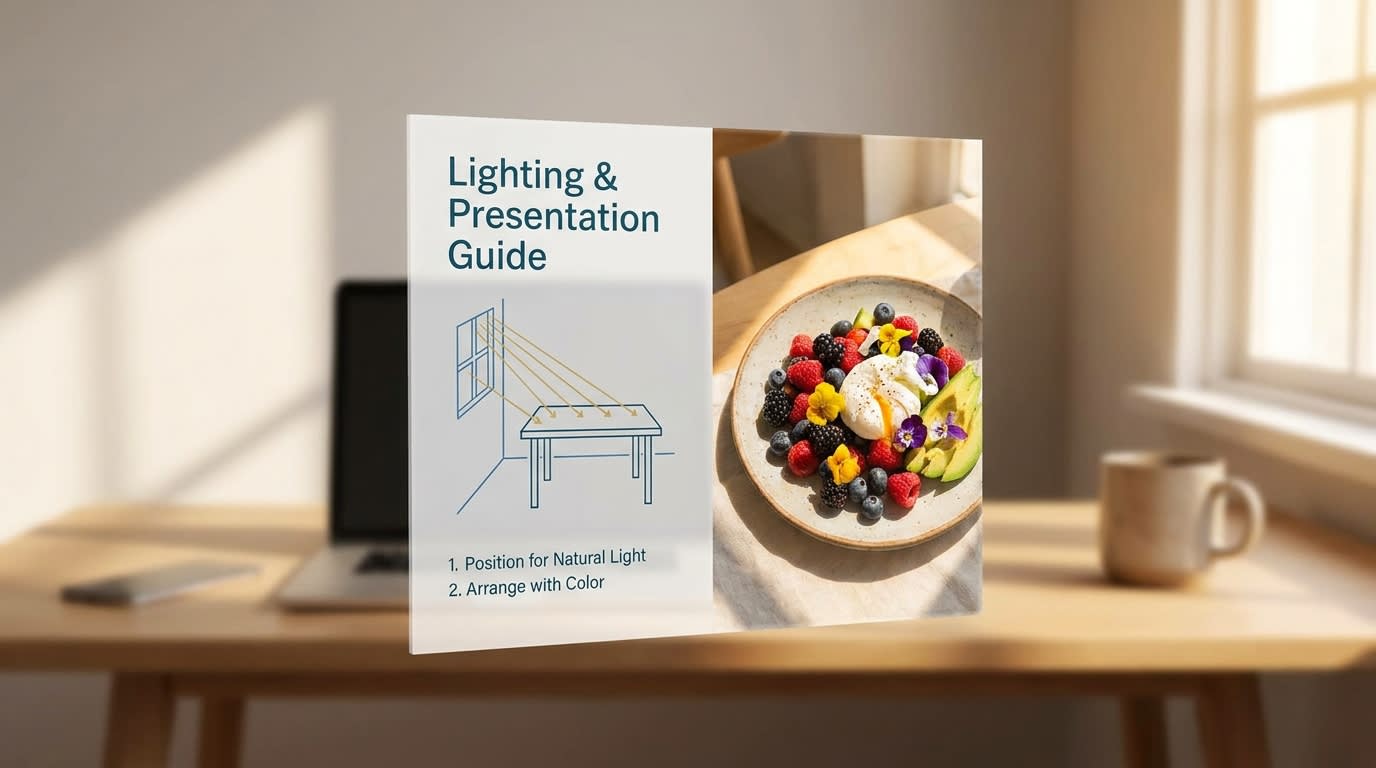
Empower your customers to take professional-looking photos with a simple styling guide.
Many brands complain about low-quality submissions but do nothing to educate their fans. You can solve this immediately by proactively teaching your audience how to capture your product beautifully.
Why this matters: Better raw material means less time filtering and more high-quality shoppable assets for your store.
Here is how to implement this:
- Send Post-Purchase Emails: Include a simple "How to Photograph Your Order" graphic directly in your delivery confirmation email.
- Highlight Lighting Rules: Ask them to shoot near a window for natural light. Tell them explicitly to avoid harsh yellow kitchen overhead lighting.
- Incentivize Quality: State clearly that aesthetic, well-lit photos have a higher chance of winning your monthly giveaway.
2. Implement Recipe Hooks Over Basic Reviews
A simple 5-star review saying your product tastes great is nice. A 15-second TikTok of a customer making a quick weeknight dinner using your sauce is a sales engine.
Here is how to shift your strategy:
- Change your prompts: Update your review request emails. Stop asking what they thought of the product and start asking how they used it. Ask them to share their recipes.
- Feature the outcome: Make sure the thumbnail of your shoppable video widgets displays the finished, plated dish rather than a sealed bottle.
- Add value in captions: When you curate a customer's recipe video onto your product page, include their actual recipe steps in the text below the video.
3. Set Up Shoppable PDP Galleries Technically
One of the biggest pain points for merchants is the actual technical setup. Placing Instagram and TikTok feeds seamlessly onto a Product Detail Page without slowing down the site requires precision.
Why this matters: Placing content directly next to the "Add to Cart" button bridges the gap between inspiration and transaction. Master this setup by reading The Complete Guide to User-Generated Content for eCommerce.
Here is how to set it up:
- Use SKU-Level Tagging: Avoid dumping a generic Instagram feed on every single page. Use your app to tag specific SKUs. Your spicy sauce page should only show spicy sauce recipes.
- Theme Block Integration: Utilize Shopify 2.0 theme architecture. Add your shoppable gallery block directly below the main product description.
- Optimize for Mobile First: Ensure the gallery swipes horizontally on mobile rather than stacking vertically. This saves valuable screen space.
Pro Tip: Look for apps offering asynchronous loading for their video widgets. This ensures your Shopify store page speed remains fast.
4. Silo Your Content Feeds
Not all user content serves the same purpose. Mixing everything into one giant widget confuses the buyer journey and dilutes your message.
Why this matters: Intent-based categorization helps users find exactly what they need, whether it is pure social proof or culinary inspiration.
Here is how to categorize:
- The Testimonial Silo: Place simple photo-and-text reviews near the bottom of the product page for users looking for pure trust signals.
- The Recipe Inspo Silo: Create a dedicated "Recipes" page on your top navigation bar. Pull in full-screen, shoppable TikToks and Reels from your community here.
- The Homepage Highlight: Use a curated carousel on your homepage featuring only your top five most aesthetic, high-converting pieces of content.
5. Moderate Strictly for Appetite Appeal
This is where food brands must completely deviate from standard eCommerce advice. In fashion, a mirror selfie with a messy bedroom background might sell authenticity. In food, a messy plate kills the craving instantly.
Why this matters: The expectation versus reality gap causes high return rates and brand damage if the food looks unappealing in your official widgets.
Here is how to moderate:
- Do Not Auto-Publish: Never set your integration to automatically push tagged posts to your live store. Always enforce manual approval.
- Establish Internal Guidelines: Create a strict checklist for your team. Is the food in focus? Are the colors vibrant? Is the surrounding area clean?
- Prioritize Texture: Approve photos that clearly show the product's texture. Look for the crunch of a chip, the drip of a syrup, or the carbonation in a beverage.
6. Utilize Free vs. Paid App Tiers Strategically
Many merchants wonder if there is a free Shopify app that can handle all this functionality. While free tiers exist, food brands often outgrow them quickly due to video bandwidth requirements.
Why this matters: Balancing your tech stack budget ensures high ROI without sacrificing the rich media features food brands rely on.
Here is how to scale your tools:
- Start Lean: Use free tiers for basic photo collection and hashtag pulling when launching a new SKU.
- Upgrade for Video: Once you have a steady stream of TikTok and Reel content, upgrade to a paid tier supporting shoppable video and custom branding.
- Measure ROI: If a paid app increases your AOV by 20% on a thousand orders, the tool pays for itself instantly. Do not let a small monthly fee prevent massive conversion uplifts.
7. Automate Content Licensing and Rights Requests
The days of screenshotting a customer's Instagram Story and uploading it directly to your website are over. Using content without explicit permission opens you up to serious legal risks.
Why this matters: Professional rights management protects your brand and builds long-term goodwill with creators.
Here is how to manage rights:
- Use In-App Workflows: Choose a tool that allows you to automate comment requests directly from your dashboard.
- Keep Records: Ensure your app logs the exact timestamp and digital footprint of the user's consent.
- Reward Contributors: When a customer grants rights, automatically send them a discount code via direct message as a thank you.
IV. Legal & Compliance Considerations for Food Brands

Protect your brand by ensuring customer content does not violate regulatory guidelines.
While fashion brands mostly worry about copyright, food and beverage merchants face an additional layer of severe scrutiny regarding health and safety claims.
1. FDA Labeling and Health Claims
Even if a customer makes a medical claim about your product independently (like claiming your herbal tea cured their severe anxiety), featuring it on your product page makes it an official brand claim. Warn your team to filter out and reject any content including unverified health, weight loss, or medical claims. This is essential to avoid FDA penalties. Stick strictly to sensory and lifestyle benefits when approving content.
2. FTC Disclosure Guidelines
There is a major legal difference between organic customer content and gifted influencer content. If you sent free food in exchange for a review or video, the creator must clearly disclose it. Ensure your moderation team actively checks for these specific disclosures before pinning those videos to your homepage galleries.
3. Clear First-Party Data Ownership
Collecting high-quality visual content directly through post-purchase review emails is much safer than just scraping social media. Direct uploads mean you own the asset outright. You will not have to worry about relying on sudden Instagram or TikTok API changes. This creates a stable, long-term asset library for your future marketing campaigns.
V. Conclusion
Transforming your store with a solid shopify ugc for food brand strategy does not happen by accident. It requires moving beyond simple social proof and actively curating an experience centered entirely on appetite appeal. By siloing your content, establishing strict visual standards, and placing shoppable video exactly where buyers make decisions, you can turn authentic customer love into measurable revenue.
Preparation is important. You do not have to tackle everything at once. Start small, set up a dedicated product page widget, and watch how quickly high-quality customer content influences your AOV. You've got this!
Follow the Fordeer Team for more useful updates!
- Install Fordeer Apps for Free
- Get immediate assistance by chatting with us
- Join Fordeer Commerce Community for fresh app updates, expert tips, and private deals.

